www.wintherbikes.com Version 1.0 Mini LCD - 2019 2 af 7
We wish you every success with your investment in a Winther E-
Kangaroo, which has set new standards in comfort and user-
friendliness.
Read through this manual carefully before using the E-Kangaroo for the
first time. This will ensure you obtain full benefit from the vehicle.
1. Functions/settings
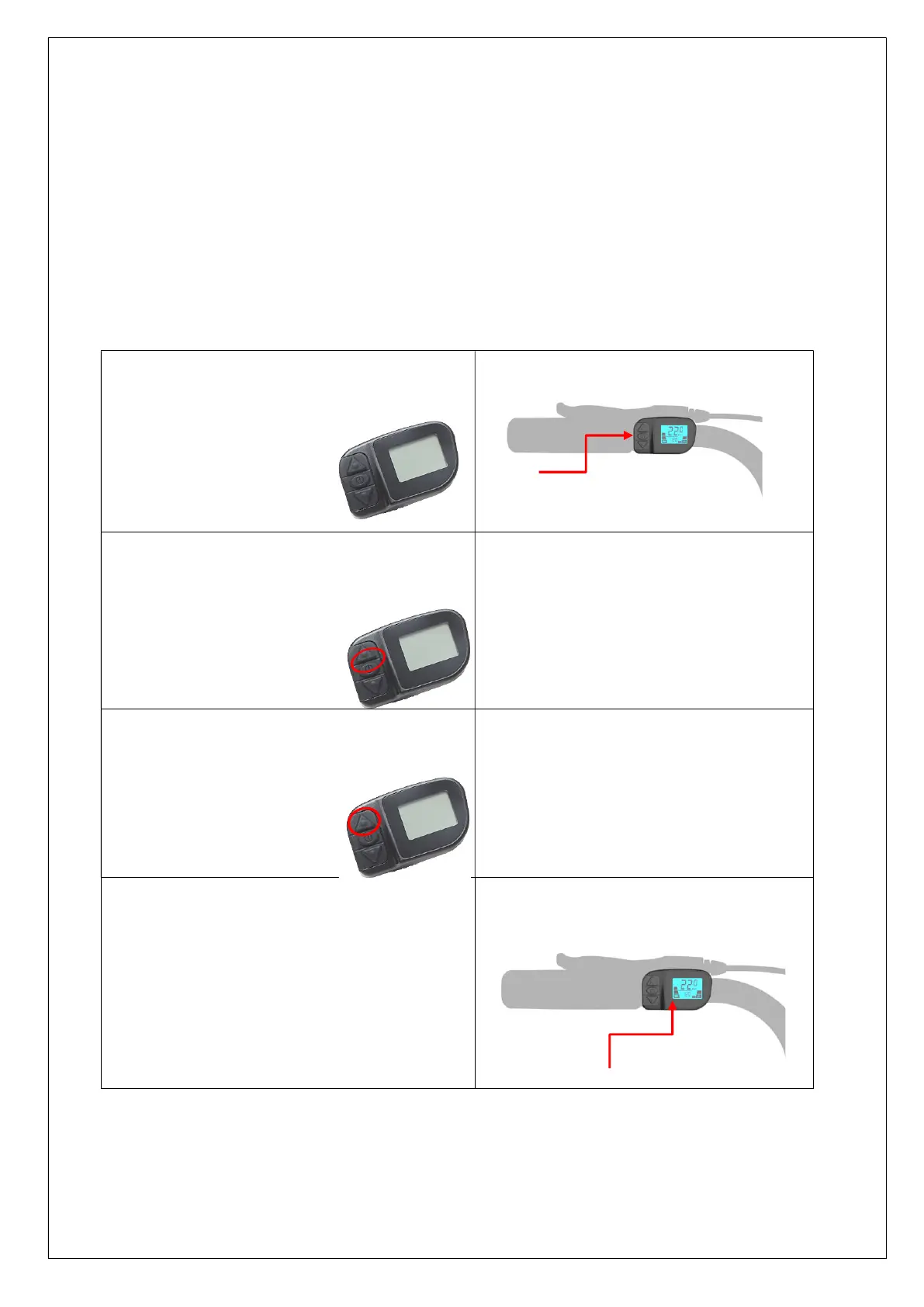
To operate the display, use the 3-setting buttons
on the left side of the display.
The display is turned on and off by pressing the
on/off
button.
Turn on the light by pressing the “level up” button
for 3 seconds
The battery indicator is shown on the left side of
the display and allows you to see the approximate
battery level using 5 segments. When reaching the
lowest level, it will start flashing.
Please note that the battery level may vary
depending on, whether you drive uphill or
downhill.



 To Next Page