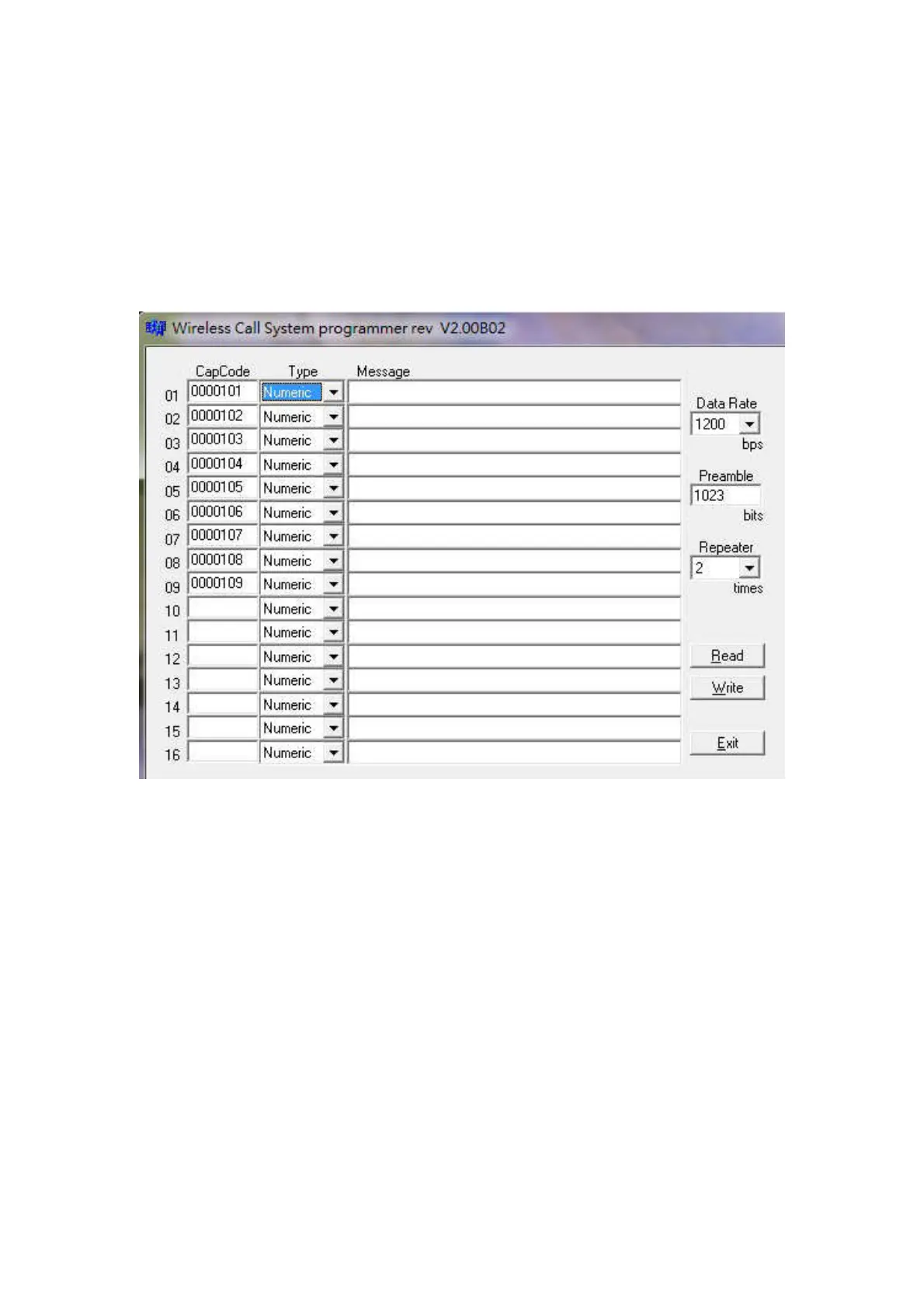
How to set up the programming parameters
1. Install the M Series AP execution file and then run the programming
software.
2. Turn off the Power Switch located at the back case side.
3. Connect the USB plug into the W-9 USB port
Example Programming Screen as below
1. Pager No
For W-9 unit, please just enter the Pager No.1-9 row. The rest of Pager No.10-16 will not work
at all. And this same software is also used for our 16 buttons M-916K paging device.
2. Cap code
This is the 7 digits pager address. And it must be same as the used receiving pager.
3. Tone Alert
This is the pager’s tone alert function.(not function for Q-5 Donuts pagers)
A = 1 sound per 1 Sec, B = 2 sound per 1 sec, C = 3 sound per 1 sec, D= 4 sound par 1 sec.
If pager is an alphanumeric pager, Then please set on “D” feature.
4. Message type. (Not function for Q-5 Donuts pager)
Please set the same type message with your used numeric or alphanumeric pager.
5. Send Message. (Not function for Q-5 Donuts pager)
This is for the receiving message usage depend on the type of the numeric or alphanumeric
pager used.



 To Next Page