EasyManua.ls Logo

Witt VBreathe Tasman - User Manual

Witt VBreathe Tasman
4 pages
Print Icon
To Next Page IconTo Next Page
Loading...
Device Status
On
Standby
Auto Mode
Battery Low
Recharging
Battery Full
Solid White
Slow Pulsing White
Fast Pulsing White
Solid Red
Pulsing Red
Solid Green
Getting Started
Setting up VBreathe Tasman
2. Download the VBreathe App from the
App Store or Google Play Store.
3. Plug in the power adaptor, then plug
the USB C cable into the back of your
VBreathe Tasman to power.
4. Double press the power button on the front of your
VBreathe Tasman to activate Bluetooth pairing.
5. When prompted by the VBreathe App, enter
the 8-digit pin on the back of these instructions.
Notice: This feature is not available yet.
Gel
Unscrew cap to
insert VActive
Gel cartridge
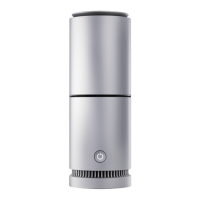
Light Ring
Cap
Power Button
HEPA Filter
Charging Port
On back
Base
1. Unscrew the cap of VBreathe Tasman. Remove
the lid and seal from the VActive Gel cartridge.
Place the Gel cartridge into Tasman open end
facing up and screw the cap back onto the device.
(See Replace VActive Gel instructions)
Question and Answer IconNeed help?

Do you have a question about the Witt VBreathe Tasman and is the answer not in the manual?

Overview

The VBreathe Tasman is an air purification device designed to improve indoor air quality. It utilizes a combination of a HEPA filter and VActive Gel to clean the air.

Function Description

The VBreathe Tasman functions as an air purifier, removing airborne particles and potentially harmful substances from the environment. It incorporates a multi-stage filtration system:

  • HEPA Filter: This filter is responsible for capturing microscopic particles, including dust, pollen, pet dander, and other allergens.
  • VActive Gel: This proprietary gel, containing essential oils, is designed to neutralize and eliminate airborne toxins, mold, bacteria, and viruses. The device draws air through the VActive Gel cartridge, where the active ingredients are dispersed into the air.

The device features a "Light Ring" that provides visual feedback on various operational aspects, including air quality, battery status, and maintenance alerts. It also includes a "Night Mode" to deactivate the light ring for undisturbed sleep.

Important Technical Specifications

While specific numerical specifications like CADR (Clean Air Delivery Rate) or power consumption are not provided, the manual highlights several key technical aspects:

  • Battery: The device contains a Lithium Polymer (LiPo) battery, offering up to 10 hours of operation on medium fan speed. It automatically recharges when plugged into a power source. The USB port can also be used to charge other smart devices.
  • Connectivity: It supports Bluetooth pairing, allowing control and monitoring via the VBreathe App (available on App Store and Google Play Store).
  • Power Input: The device uses a USB-C cable and a power adaptor for charging.
  • Regulatory Compliance: Tested in accordance with FCC, CE, and RCM requirements. It complies with FCC Part 15 rules, ensuring it does not cause harmful interference and accepts any received interference.

Usage Features

The VBreathe Tasman offers both app-controlled and manual operation:

Setup and Initial Use:

  1. VActive Gel Installation: Unscrew the top cap, remove the lid and seal from the VActive Gel cartridge, insert the cartridge with the open end facing up, and screw the cap back on.
  2. App Download: Download the VBreathe App from your device's app store.
  3. Power Connection: Plug in the power adaptor and connect the USB-C cable to the device.
  4. Bluetooth Pairing: Double-press the power button to activate Bluetooth pairing. The Light Ring will flash blue.
  5. App Connection: Follow the VBreathe App prompts, entering an 8-digit pin (if available, though the manual notes this feature is not yet available).

Manual Control (via Power Button):

  • On / Low Fan Mode: 1st press
  • Medium Fan Mode: 2nd press
  • High Fan Mode: 3rd press
  • Standby: 4th press
  • Bluetooth Pairing: Double press (Light Ring flashes blue)
  • Turn Off: Press and hold for 3 seconds (device disconnects from App)
  • Factory Reset: Press and hold for 10 seconds (device restores factory settings, inactive for 10 seconds)

Light Ring Indicators: The Light Ring provides visual cues for various statuses:

  • Air Quality Good: Solid Green
  • Air Quality Ok: Solid Orange
  • Air Quality Poor: Solid Red
  • Change Gel: Pulsing Yellow
  • Change Filter: Pulsing White
  • Bluetooth Pairing: Pulsing Blue
  • On: Solid White
  • Standby: Slow Pulsing White
  • Auto Mode: Fast Pulsing White
  • Battery Low: Solid Red
  • Recharging: Pulsing Red
  • Battery Full: Solid Green

Night Mode:

  • Double-tap the top of the device to activate Night Mode, which deactivates the light ring.
  • Double-tap again to re-activate the light ring.

Battery Life:

  • Up to 10 hours on medium fan speed.
  • Automatically recharges when plugged in.
  • USB port can charge smart devices.

Safety & Handling:

  • For indoor use only; do not expose to water or rain, or immerse in water.
  • Only use the provided charger.
  • Do not block air intake or exhaust.
  • Handle HEPA filters with care; avoid touching filter media.
  • Switch off the device before changing filters; avoid touching the internal fan.
  • Use in extremely dusty or polluted environments may clog filters quicker.
  • Handle VActive Gel according to its container instructions.
  • VActive Gel contains essential oils; keep away from children, pets, eyes, ears, and nose. Do not ingest.
  • Discontinue use immediately if sensitive or allergic reactions occur.
  • High temperature or humidity may cause quicker gel usage.
  • Not to be used as a toy; do not let children handle the device.
  • Never turn the device upside down with a VActive Gel cartridge installed.

Maintenance Features

Regular maintenance is crucial for optimal performance of the VBreathe Tasman.

Replacing VActive Gel:

  • When to Replace: When instructed by the app or if the gel level falls below the minimum on the container.
  • Procedure:
    1. Ensure the device is upright, turned off, and unplugged.
    2. Unscrew the top cap and remove the used VActive Gel cartridge.
    3. Remove the lid and seal from the new VActive Gel cartridge.
    4. Place the new cartridge into the device with the open end facing up.
    5. Screw the top cap back on.
    6. Wash hands with soap and water.
  • Important: A small amount of liquid may be present on the surface of the Gel. Never turn the device upside down with a VActive Gel cartridge installed.

Replacing HEPA Filter:

  • When to Replace: When instructed by the app, if airflow is restricted, or at a minimum, every 6 months.
  • Procedure:
    1. Ensure the device is upright, turned off, and unplugged.
    2. Unscrew the base of the device. The used filter will come out.
    3. Remove the new filter from its packaging.
    4. Place the new filter into the base.
    5. Screw the base into the unit.
  • Important: Never turn the device upside down with a VActive Gel cartridge installed.

Battery & Disposal Information:

  • The Lithium Polymer (LiPo) battery should be replaced by VBreathe or an authorized service provider.
  • Do not attempt to disassemble the product or remove/replace the battery yourself.
  • Dispose of the device responsibly and recycle where possible.
  • Do not dispose of in household waste.
  • Return the device to VBreathe or a recycling collection point for safe disposal.

Warranty:

  • A two-year guarantee covers manufacturing and material defects from the purchase date, including materials, salary, and transport.
  • Exclusions: Defects not caused by manufacturing/material issues, use of non-original spare parts, failure to follow manual instructions (setup, installation), unauthorized repairs, and wear parts (filter, VActive Gel).
  • Transport Damages: Manufacturer/supplier not responsible if customer transports the device. Damages must be reported within 24 hours of delivery if delivered by dealer.
  • Unnecessary Service Visits: Customer will be charged for service calls if the defect could have been resolved by following the manual or changing a fuse.
  • Commercial Purchase: No guarantee for commercial use as the device is intended for domestic household use only.

Witt VBreathe Tasman Specifications

General IconGeneral
BrandWitt
ModelVBreathe Tasman
CategoryAir Cleaner
LanguageEnglish