Integrated Modules
Integrated Modules
Component Removal
3-8
#826498 - Revision B - December, 2016
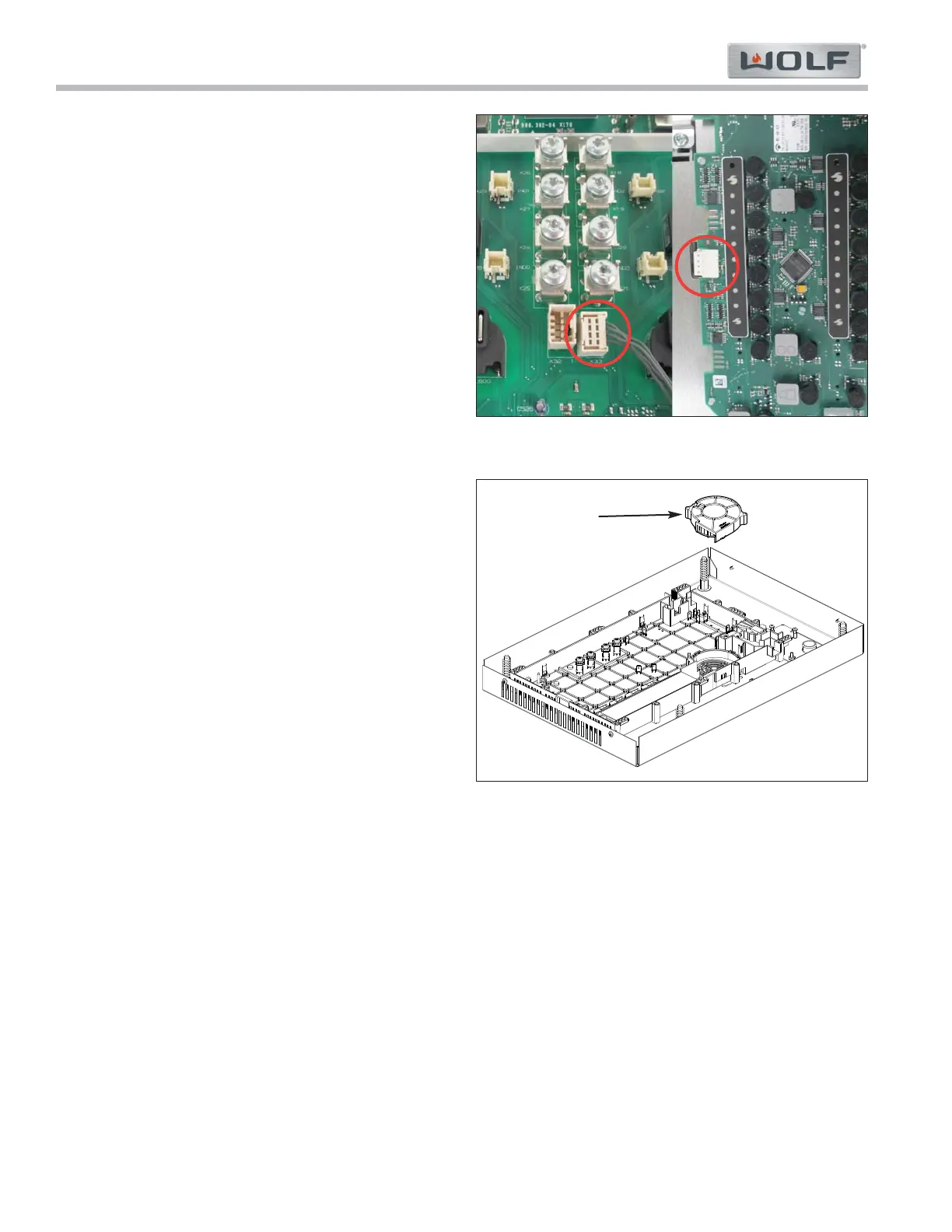
Communication Harness
To remove the comm harness, first remove the genera-
tor plate, then (See Figure 3-11):
1. Push tab away from comm harness connector on
the generator.
2. Remove comm harness.
NOTE: New comm harness has a key in the connector
for control board side.
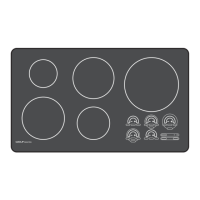
Fan Assembly
To remove the fan assembly, first remove the generator
plate, then (See Figure 3-12):
1. Press connector tab in and disconnect fan assem-
bly connector.
2. Use a small flat blade screw driver to spread the
fan assembly retainer tabs slightly to release fan
assembly.
3. Remove the fan assembly.
Figure 3-11. Comm Cable on Generator and Control
Figure 3-12. Fan Assembly
Fan



 To Next Page