Charging the Camera
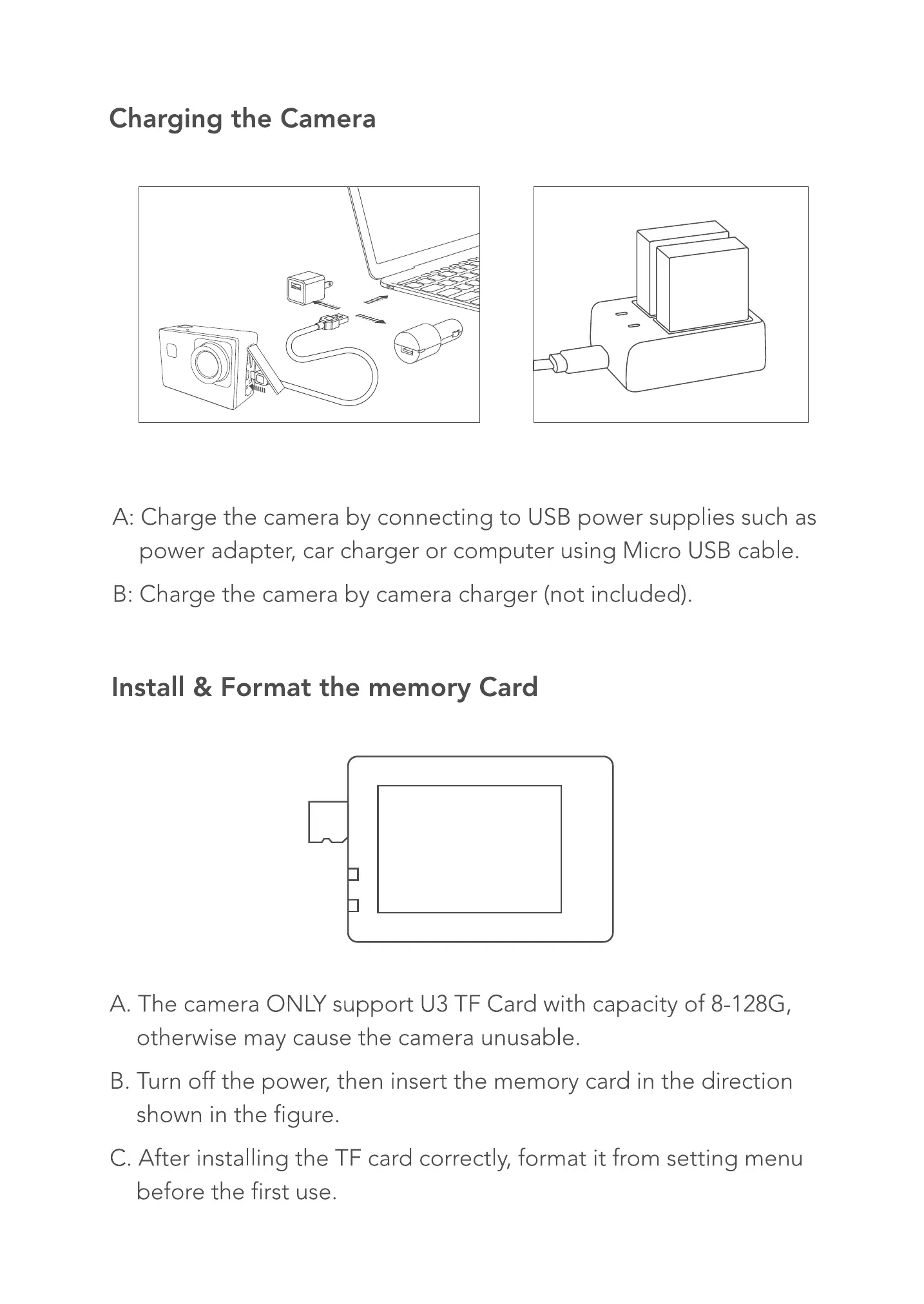
A: Charge the camera by connecting to USB power supplies such as
power adapter, car charger or computer using Micro USBcable.
B: Charge the camera by camera charger (not included).
Install & Format the memory Card
A. The camera ONLY support CJ3TF Card with capacity of 8-128G,
otherwise may cause the camera unusable.
B. Turn off the power, then insert the memory card in the direction
shown in the figure.
C. After installing the TF card correctly, format it from setting menu
before the first use.


 To Next Page