Operation Instructions
Mode Operation Instructions
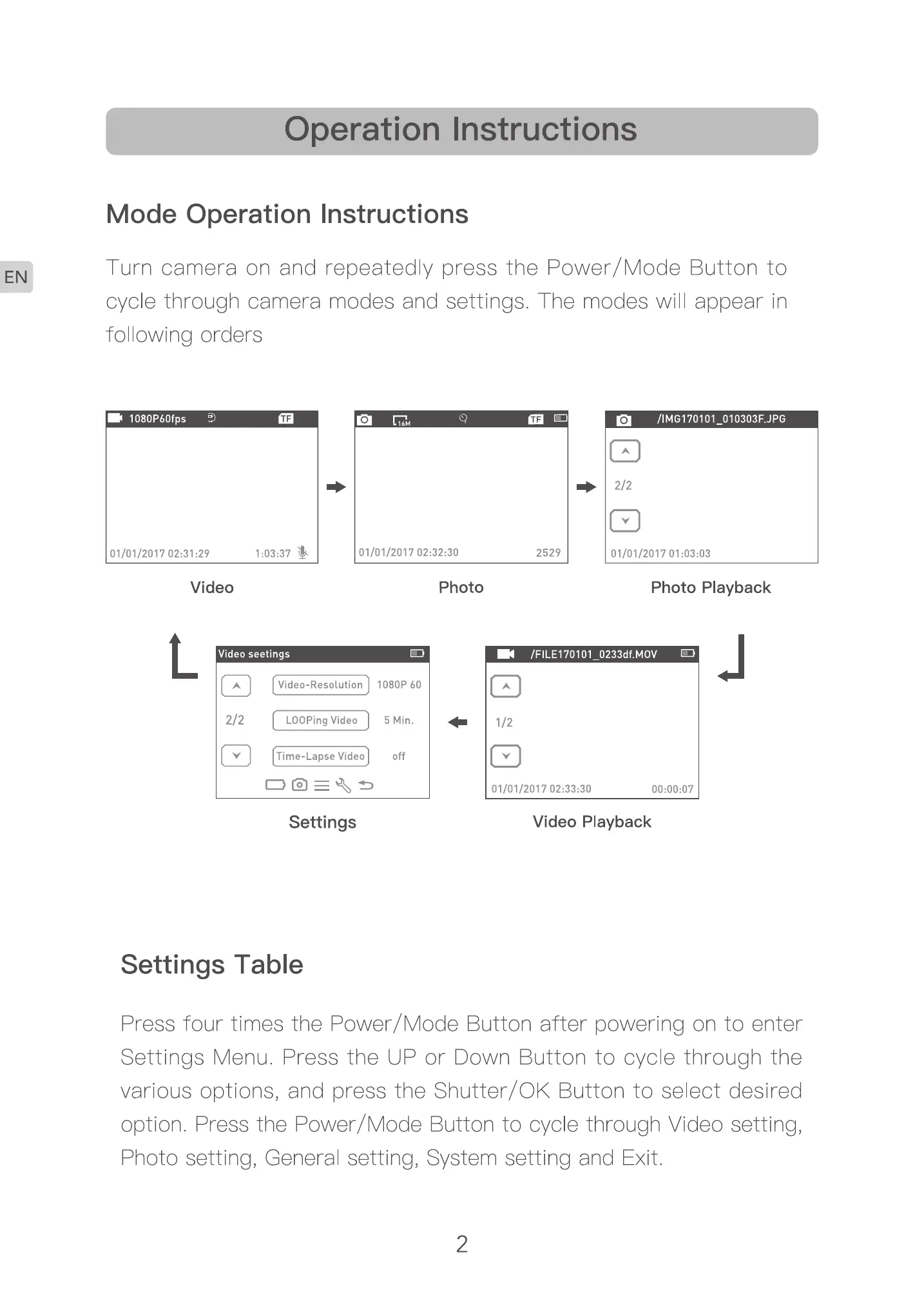
Turn camera on and repeated y press the Power/ Mode Button to
cyce through camera modes and settings. The modes will appear in
following orders
2529
Video Photo
Photo Playback
1080P
Settings
Settings Table
020301)
Video Playback
Press four times the Power/Mode Button after powering on to enter
Settings Menu. Press the UP or Down Button to cycle through the
various options, and press the Shutter/OK Button to select desired
option Press the Power/Mode Button to cycle through Video setting,
Photo setting, General setting, System setting and Exit
2



 To Next Page