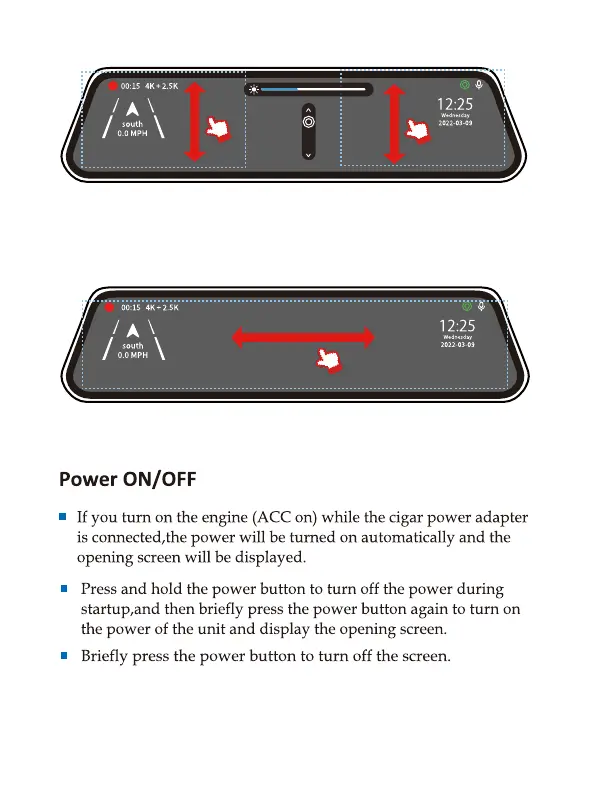
On the LEFT side of the screen: Slide up and down to
adjust the angle of view.
On the RIGHT side of the screen: Slide up and down to
adjust the brightness.
Anywhere on the screen: Swipe the screen left or right to
switch between front view, rear view, or split-screen view.



 To Next Page