③Add device manually when not finding the devices
④Create group is for having different source groups
⑤Sources management: select the sources to delete, adjust order etc
⑥Property is for check out the sources mainstream/substream, url address
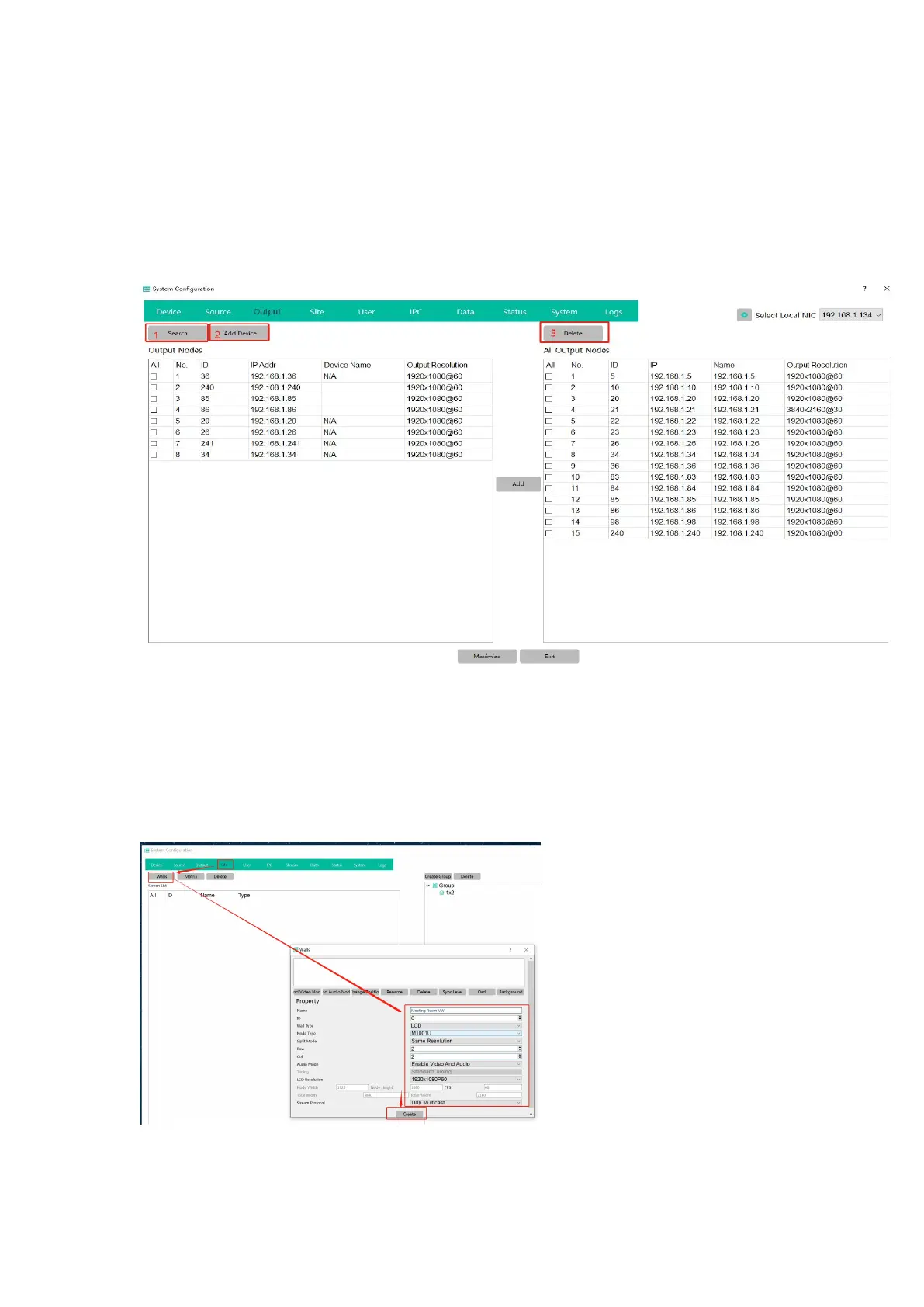
Output: after setting the device IP/ID/working type as decoders, then add them as outputs
Search to find all decoder, then click add to the right side
①Search to find all the decoders
②Add the decoder manually
③Delete the added decoders
Site: for creating the video wall, matrix etc
To create a LCD video wall: site---walls--name---ID---Wall type(LCD/LED)---VW row/col----Create
Next step will need to bind the Decoders with this new created VW: Drag the decoder IP address


 To Next Page