06
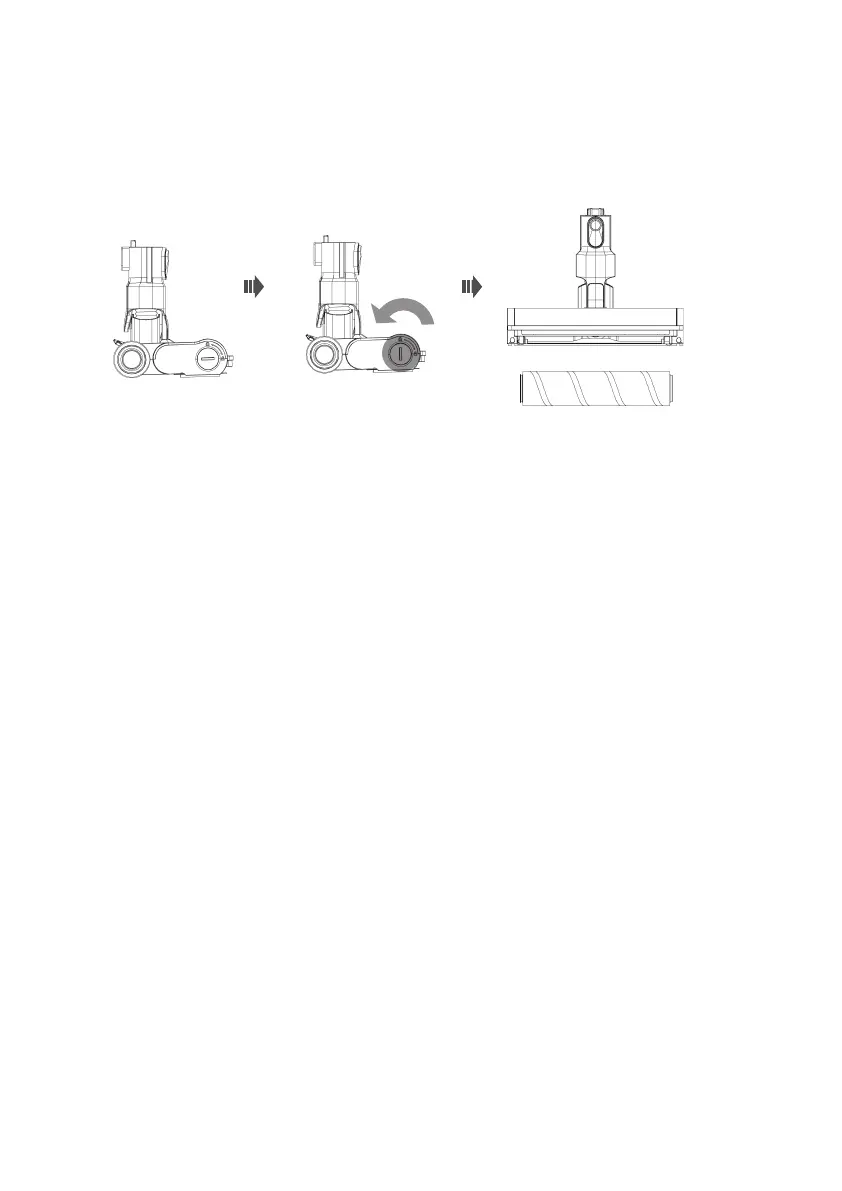
Clean the floor brush
Turn off the vacuum cleaner, use a coin or other tool to unlock the the roller brush lock.
Then remove the roller brush for cleaning.
Indicator lights
This vacuum cleaner has 5 indicator lights and will be on after switching on.
The indicator lights show the current battery power.
When the battery is lower than 3%, the machine will be turned off automatically. And
please charge the vacuum cleaner when it has 5 flashing indicator lights.
During charging, the 5 lights will keep flashing. After fully charged, there will be 5 solid
lights. 5 minutes later, all lights will turn off and the unit will go into sleep mode.
Do not use the vacuum cleaner when charging.


 To Next Page