2. UsingtheXyloapp
a. Opentheappandtaptodismissthemaintitlescreen.
b. Followtheonscreenimagestoattachthexylophoneandmallet(ifnotalready
attached)
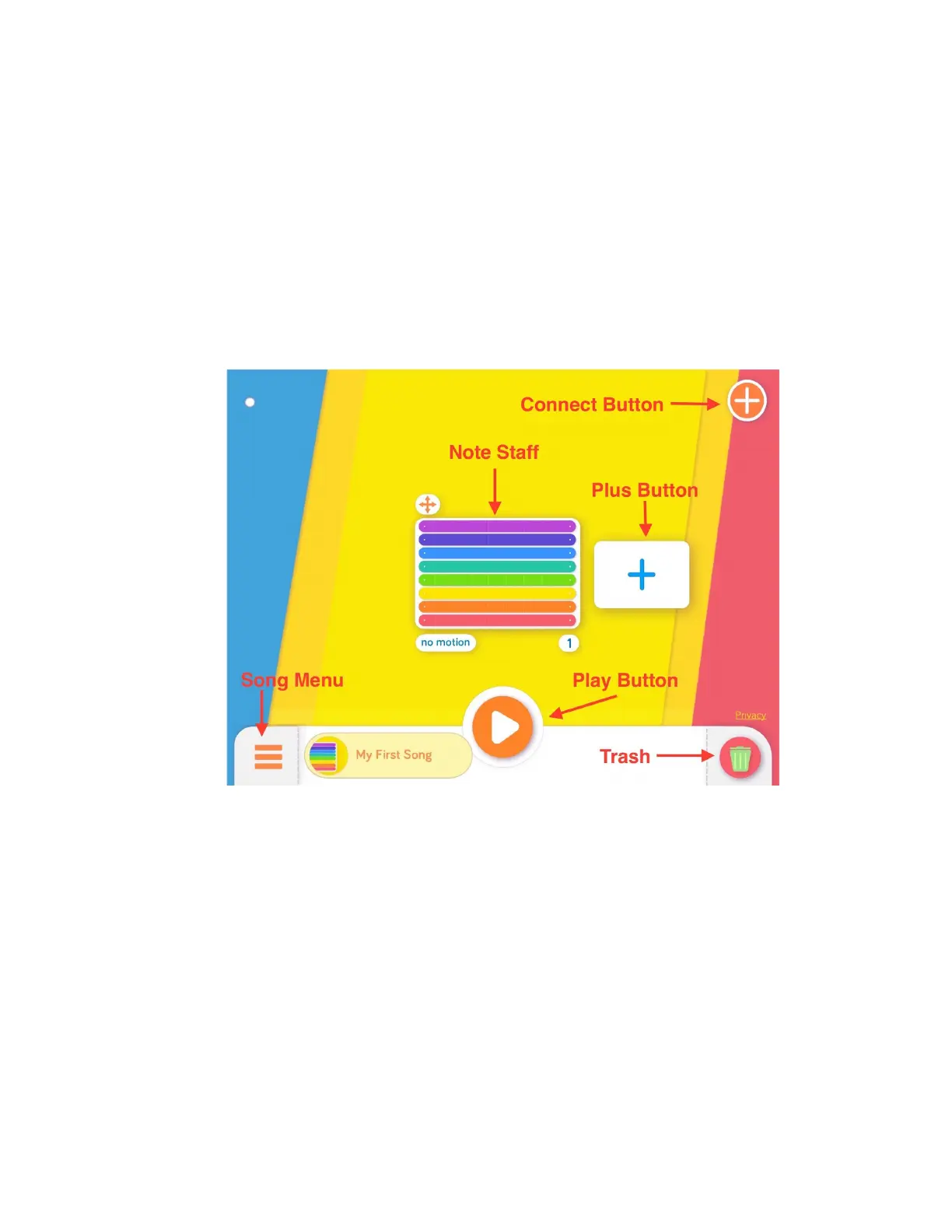
c. IdentifythesekeypartsofthePlayScreen
i. NoteStaff
ii. PlusButton
iii. PlayButton
iv. SongMenu
v. Trash
3. ConnectingtoDash
a. PutDashonthefloor,pressthepowerbutton,andmakesureBluetoothis
enabledonyourtablet.
b. OntheXyloPlayScreen,taptheorange“+”iconintheupperrightcornerto
opentheconnectiondialogue.
c. TaptherobotimageintheconnectiondialoguetoconnectyourDash.


 To Next Page