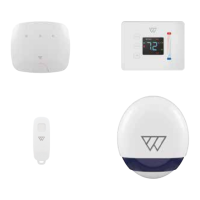
Pair the thermostat
1. Either click Add another device in the Success screen, or the + on the Devices
screen, then select Thermostat from the Device Selection list (A).
2. Press the MODE button on the front of the thermostat (B) until OFF is displayed on
the screen. Press Next on the app (C).
3. Press and hold the space between the HOLD and FAN buttons and at the same
time, swipe finger down the right-hand slider (B). The display will change to 01.
Press Next on the app (D).
4. Use the slider to set the display to 12, then press HOLD. This enters the ‘Join
Network’ menu. Now use the slider again to set the display to 01 and press HOLD to
pair with the Wondrwall network, then press MODE. Press Next on the app (E).
5. Now, press the displayed location name (F) to show list of existing locations
(scroll down if necessary). Press the one you require to select it. Alternatively,
press Create new location to specify new location. Press Next.
6. Finally either press Finish on the Success screen to end the installation or Add
another device to continue pairing devices.
31


 To Next Page
 Loading...