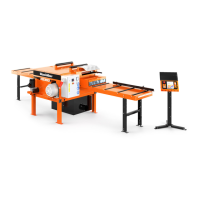
OPERATION
Edger Setup
3
3-8 EGdoc022715 Operation
2. Motors START/STOP Button
To start the blades and feed motors press the START button. To stop the motors, press the STOP
button.
3. Ammeter
Indicates current power consumption of all machine motors.
4. Emergency Stop
Push the emergency stop button to stop all motors. Turn the emergency stop clockwise to
release the stop. The machine will not restart until the emergency stop is released.
5. Feed Roller Speed Adjustment
The feed roller speed switch controls the speed at which the feed roller moves. Turn the switch right
to increase the speed, turn left to reduce the speed. (Optional Equipment).
6. Power ON Control Light
Indicates the power supply.
3.3 Edger Setup
IMPORTANT! Before starting to use the Edger you have to meet the
following conditions:
Set up the machine on firm and level ground
The machine must be operated with the sawdust exhaust system
The edger must not be operated outdoors when it is raining/snowing and in case of
rain/snow the edger must be stored under a roof or indoors.
The machine can be operated in temperature range from -15
o
C to 40
o
C (5
o
F to 104
o
F)
only
Light intensity at operators position must be 300lx
1
1 Light source can not cause the stroboscopic effect.


 To Next Page
 Loading...