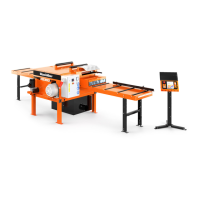
Setworks Operation (EG300 U.S. Only)
Setworks (Optional - U.S. Version)
5
5-1 EG99doc022715 Setworks Operation (EG300 U.S. Only)
SECTION 5 SETWORKS OPERATION (EG300 U.S. ONLY)
5.1 Setworks (Optional - U.S. Version)
The Setworks option allows you to program eight positions for the blades and adjust to those
positions by pushing a single button. For Setworks to be operational, the power to the machine must
be on and the green power indicator on the operator control illuminated.
5.1.1 Setworks Start-up
See Figure 5-2. When the power to the machine is turned on, the Setworks display flashes the
company name first. After a short delay, you may see an Error #203 displayed. This is normal during
start-up as the display waits for the PLC to boot up. Once communication with the PLC is
established, the display will return to the first screen and then show the PLC and Display software
versions. This information should be supplied to Customer Service when requesting service.
FIG. 5-2
waits for PLC to boot Screen #1
will reappear when communication
established
Use PLC and Display software
version data to help with tech
Screen #1:
Screen #2:
.
Screen #3:
TVS013


 To Next Page
 Loading...