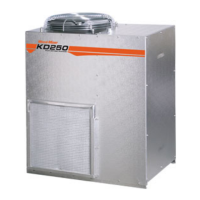
Using the KD250
To turn the controller on turn the system switch
to the on position.
The instrument model and software version will
show briefly, then the display will look like the
image on the next page (values shown may be
different).
If an error is displayed instead of the
temperature values, please check the connection of
the temperature probes.
1 Heater Status ("o" ON/ "—" OFF)
2 Vent Status ("o" ON/ "—" OFF)
3 Compressor Status ("o" ON/ "—" OFF)
4 Humidifier Status ("o" ON/ "—" OFF)
5 Dry Bulb Temperature
6 Wet Bulb Temperature
7 Probe 1
8 Probe 2
9 Probe 3
10 Probe 4
11 Average Timber Moisture
Parameters
The controller can be programmed with the required
conditions to
be maintained inside the kiln. These
settings are saved in a the controllers memory and
preserved in the case of a loss of power.
To access the configuration mode, press “Select”
key: the first parameter setting screen will appear.
Press the “Select” key again to cycle through each
parameter option.
Use the up and down arrow keys to change the values
of each parameter.
Note: The controller will automatically exit from
the configuration mode after setting the last parameter
or 10 seconds without any activity on the keyboard.
Settable Parameters
The KD250 Continuously shows the values
measured on the four timber probes (without
decimals) and the average value (with decimals).
You may remove one or more probes from the
average calculation by pressing “Select” until the
desired probe number is displayed, and then using
the arrow keys to change the probes status. After
doing this the probes value will display as “--” and
will not be included in the average. You can not
remove all of the probes from the calculation. If
attempted the system will automatically display probe
1.
NEUTRA L
N.C.
COM MON
SPRAYE RS
HEATER ON
HEATER OFF
VENT ON
VENT OFF
COM PRESS.
N.C.
PHASE
11 10 9 8 7 6 5 4 3 2 1
CN3
CN2
Pin RS485 (Optional)
1 Rx/Tx +
2 Rx/Tx -
3 GND
RS485
GND
Rx/Tx -
Rx/Tx +
3 2 1
C n2
E
A
R
T
CN3
Pin Function
1 N/A
2 Compressor
3 Vents Off
4 Vents On
5 Heater Off
6 Heater On
7 Spray System (Upgrade)
8 Common
9 N/A
10 Phase
11 Neutral (Supply)
CN1
Pin
Function
A B
1 1 N/A
2 2 N/A
3 3 N/A
4 4 N/A
5 5
Wet Bulb Temp
Probe
6 6
Dry Bulb Temp
Probe
12
34
6 5 4 3 2 1
D W
CN1
B
A
E
A
R
T
H
1 2
3 4 5 6
7 8
9
10
11
20


 To Next Page
 Loading...