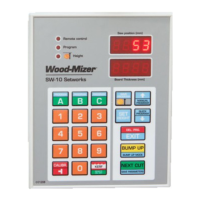
Troubleshooting
Setworks Malfunction
Troubleshooting SW-10doc032018 3-1
3
SECTION 3 TROUBLESHOOTING
3.1 Setworks Malfunction
PROBLEM CAUSE SOLUTION
Setworks does not work.
When performing a program,
the controller disengages the
drive mechanism and the
display shows:
When performing the
auto-calibration, the
controller disengages the
drive mechanism and the
display shows:
Magnet sensor improperly
adjusted
Align the magnet sensor as shown
in figures 3-1 and 3-2. Calibrate the
controller. See Section
Auto-calibration.
Check condition of the encoder
coupling that connects the encoder
with the up/down screw (LT15
sawmills only)
Setworks calculates
dimensions of boards
incorrectly.
Improper input parameters Check the input divider and the
kerf settings (See Section Setting
the Input Divider (entered only
once, at the first start-up) and See
Section Entering the Blade Kerf
Thickness).
- Perform the auto-calibration
procedure. See Section
Auto-calibration.
Saw head does not stop at the
required blade height, but
continues its upward or
downward movement until it
hits the stop bolt or the upper
limit switch is activated.
Controller not calibrated Check the input divider and the
kerf settings. Perform the
auto-calibration procedure.


 To Next Page
 Loading...