Manual 37240C GCP-30 Series - Genset Control
Connection via GW4/RS-422 LDP
≡≡≡≡≡≡≡≡≡≡≡≡≡≡≡≡≡≡≡≡≡≡≡≡≡≡≡≡≡≡≡≡≡≡≡≡≡≡≡≡≡≡≡≡≡≡≡≡≡≡≡≡
Gateway
Gateway
GW4B/RS422+LDP
GW4B/RS422+LDP
P/N 8445
P/N 8445
-
-
1015
1015
Laptop
Laptop
with Windows operation system
with Windows operation system
98SE,
98SE,
NT, ME, 2000, XP
NT, ME, 2000, XP
LeoPC1 3.1 or higher
LeoPC1 3.1 or higher
configuration
configuration
and remote control possible
and remote control possible
Control
Control
terminals
terminals
X1
X1
-
-
X5
X5
CAN
CAN
Max 250 m
Max 250 m
RS
RS
-
-
232
232
COM1
COM1
For example:
For example:
ADVANTECH
ADVANTECH
ADAM
ADAM
-
-
4520
4520
RS
RS
-
-
422
422
Max 1000 m
Max 1000 m
up to 8
up to 8
GCPs
GCPs
can
can
be connected
be connected
to
to
the
the
same CAN Bus
same CAN Bus
up to 8
up to 8
GCPs
GCPs
can
can
be connected
be connected
to
to
the
the
same CAN Bus
same CAN Bus
Function
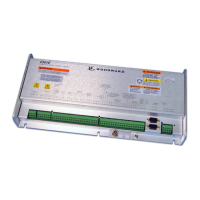
The GW 4 with RS-422 interface and LDP protocol can be used to configure and visualize the GCP comfortably
with a PC or laptop. The GW 4 serves as stationary solution here with connection to a converter, which estab-
lishes a connection to a PC or industrial PC over a distance of 1000m. This example shows a solution for estab-
lishing a connection over large distances to a control station or visualization system.
Different applications can be performed using the software LeoPC1. These applications include:
• Configuration
• Visualization with data recording
• Remote control (start and stop, transferring the set values for real power and generator power factor)
• Transfer standard values to and from the harddrive
Preconditions for this example
• GCP with CAN connection (X1/X5)
• GW4B/RS422 LDP
• Converter RS-422 to RS-232, e.g. ADVANTECH ADAM-4520 (www.advantech.com)
• or ICSDataCom 485HF9: (
www.icsdatacom.com)
• PC or laptop with Windows OS 98SE, NT, ME, 2000, XP and free Com port (USB to COM adapter
also possible)
• Application software LeoPC1 version 3.1 or higher
• Configuration file available (*.cfg, *.asm, *.opt,...)
© Woodward Page 13/38



 To Next Page
 Loading...