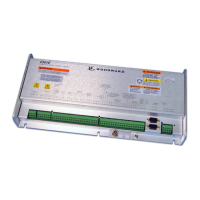
Manual 37240C GCP-30 Series - Genset Control
Conversion CAN to USB
≡≡≡≡≡≡≡≡≡≡≡≡≡≡≡≡≡≡≡≡≡≡≡≡≡≡≡≡≡≡≡≡≡≡≡≡≡≡≡≡≡≡≡≡≡≡≡≡≡≡
Conversion USB-CAN:
IXXAT USB-to-CAN compact
P/N 8445-1023
CAN
CAN
Max. 250m
Max. 250m
Up to 14 GCP
Up to 14 GCP
-
-
30
30
can be
can be
connected
connected
to
to
the same
the same
CAN
CAN
bus
bus
CAN
CAN
Max. 250m
Max. 250m
Up to 14 GCP
Up to 14 GCP
-
-
30
30
can be
can be
connected
connected
to
to
the same
the same
CAN
CAN
bus
bus
USB
USB
PC or Laptop with windows
98SE, NT, ME, 2000, XP
software LeoPC1 V3.1 or
higher
for configuration, visualization
and remote control
GCP-30 terminals X1 to X5
Function
A CAN/USB adapter can be used to configure and visualize the GCP comfortably with a PC or laptop. The
Woodward application software LeoPC1 supports the IXXAT adapter for this.
Different applications can be performed using the software LeoPC1. These applications include:
• Configuration
• Visualization with data logging
• Remote control (start and stop, transferring the set values for real power and generator power factor)
• Load language
• Transfer standard values to and from the harddrive
Preconditions
• GCP with CAN connection (X1/X5)
• IXXAT CAN / USB adapter (P/N 8445-1023; other adapters are not supported)
• PC or laptop with Windows OS 98SE, NT, ME, 2000, XP with USB port
• Application software LeoPC1 version 3.1 or higher
• Configuration file available (*.cfg, *.asm, *.opt,...)
For detailed information about the IXXAT product refer to the website
www.ixxat.de
Connection
The connection for the IXXAT product can be taken from its data sheet. The CAN bus from the adapter is to be
connected to the terminals X4/X5. Make sure that the CAN bus is terminated correctly with two termination re-
sistors. Please note the following connection example:
CAN-L
CAN-H
GND
CAN-L
CAN-H
GND
CAN-H
CAN-L
Termination, approx. 120 Ohms
CAN bus
CAN bus
USB to CAN
GCP
X1
X2
X3
X4
X5
© Woodward Page 7/38



 To Next Page
 Loading...