11. Micro SD Slot
12. AUX-in Jack
13. BASS (Slide to adjust Bass volume)
14. MIC ECHO
(Slide to adjust Mic Echo volume)
BLUETOOTH:
1. Rotate “Power ON/OFF” knob to “ON”, The digital will show “rockit-pro” and beep twice.
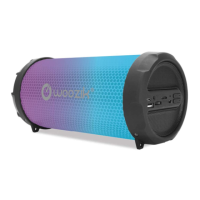
* Then the RGB light on both sides automatically start;
* Short press “RGB LIGHT/EQ” button, to enjoy different light changing circle and turn
on/off RGB light;
2. Activate Bluetooth of mobile phone and search for device name “RockIt-PRO” then connect
it. The speaker will beep three times once connected successfully.
3. Play the music from your mobile phone and enjoy. select songs you like.
5. Press “PAUSE/PLAY” buttons on the speaker or on Mobile phones to play/stop the music;
6. Rotate “Volume Control & Power ON/OFF” knob to adjust volume up and down.
Or adjust volume on your mobile phones.
PLAYING MUSIC FROM USB DISK & MICRO SD CARD:
1. Rotate “Power ON/OFF” knob to “ON”.
2. Insert Micro SD card or USB flash disk into slot, the music stored will be played
automatically.
3. Under playing mode, short press “Previous” or “Next” buttons on the speaker or on
Mobile phones to select songs you like, long press to fast forward or backward the song.
4. Press “PAUSE/PLAY” buttons to play or pause.
5. Please turn the Power button to “OFF” while without use.
Remark: Under Bluetooth playing mode, insert Micro SD or USB will disconnect the
Bluetooth and switch to play USB or Micro SD card. Press the “MODE” button to switch back to
Bluetooth mode again.
FM RADIO:
1. Under FM radio state, the audio cable provided treat as antenna. Please insert the


 To Next Page
 Loading...