English version
6
5. Making a first Configuration
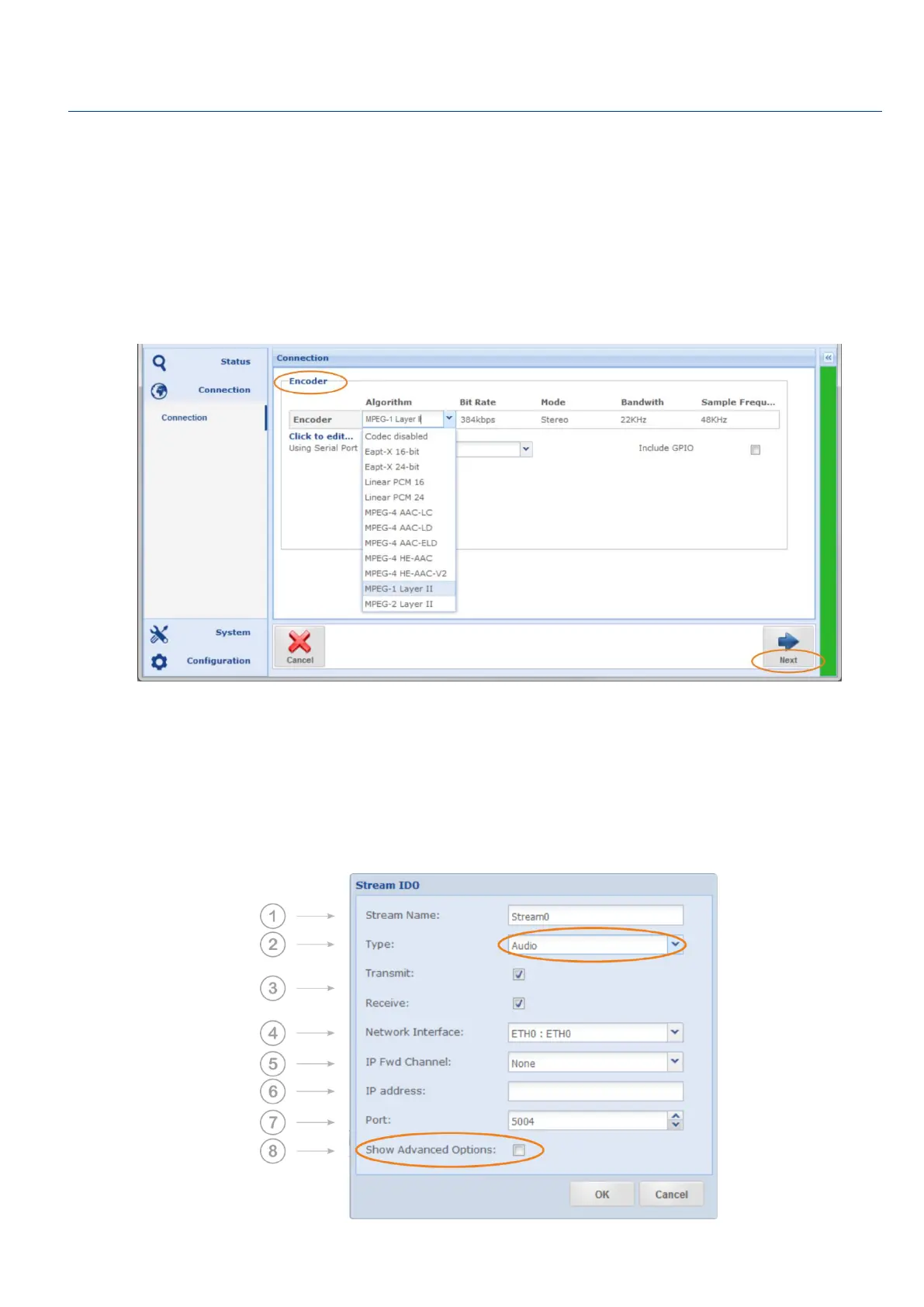
1. Navigate to “Connection” on the main menu and choose “Configuration Wizard”.
2. The Configuration Wizard lets you create a new configuration. It will take you through each step
individually as shown below. First enter a name for your new configuration. It is recommended
that meaningful names are used such as ‘Belfast to London News Report’, and then click the
“Next” button
3. You will then need to configure the Encoder algorithm, the bit rate and all algorithm specific
parameters. Some of them are computed automatically, and then click “Next”.
Figure 0-3: Shows the Encoder configuration page of the Configuration Wizard
4. Configure the decoder accordingly, and then click “Next”. Asymmetric audio is supported; hence
the Decoder can be configured different from the Encoder.
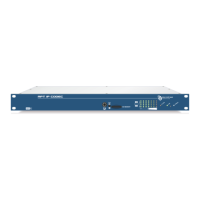
5. Stream Table: You will now be presented with the Streams Table. Click on “Add” to enter your IP
connection information. The following window will appear:


 To Next Page