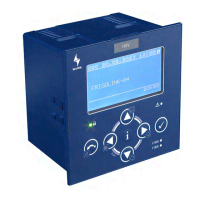
Master module for cold locations
HKS-G3_V8.2.0_PI_2024-05_EN 1
Subject to technical changes
HKS-G3
1 HKS-G3
Master module for cold locations
1.1 Front view
Fig. 1: Front view
1.2 Features
• Control device with high-performance controller and large internal memory for complex control
and management tasks
• Simple start-up by configuration of cold locations with default settings from the expert database
• Connection of 8 cold location field modules
• Frigotakt+ adaptive control process with Frigotakt-G4 further development for demanding CO
2
refrigeration plants
• Intelligent EC defrost
• Intelligent EEV control with Smartflow+
• Control by representative products temperature or temperature range
• Differentiation between unused sensors and faulty sensors
• Can be locked to prevent unwanted parameter adjustment (SAC – Security Access Control)
• Integrated relay outputs
• Multilingual menu navigation (DE/EN/FR/NL)
• Graphical display with backlighting and 8 operating keys
• CAN bus connection by patch cable and push-in terminals
• Fastening in the installation frame, or individual installation without frame
• Connection to the Wurm system via Wurm CAN communication bus (C-BUS) and
FRIGODATA XP
• High level of safety with galvanically isolated Wurm CAN buses
HKS-G3_V8.2.0_PI_2024-05_EN.fm Seite 1 Freitag, 31. Mai 2024 9:34 09

 Need help?
 General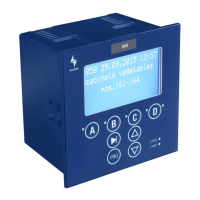

 To Next Page