Instrument Set-up
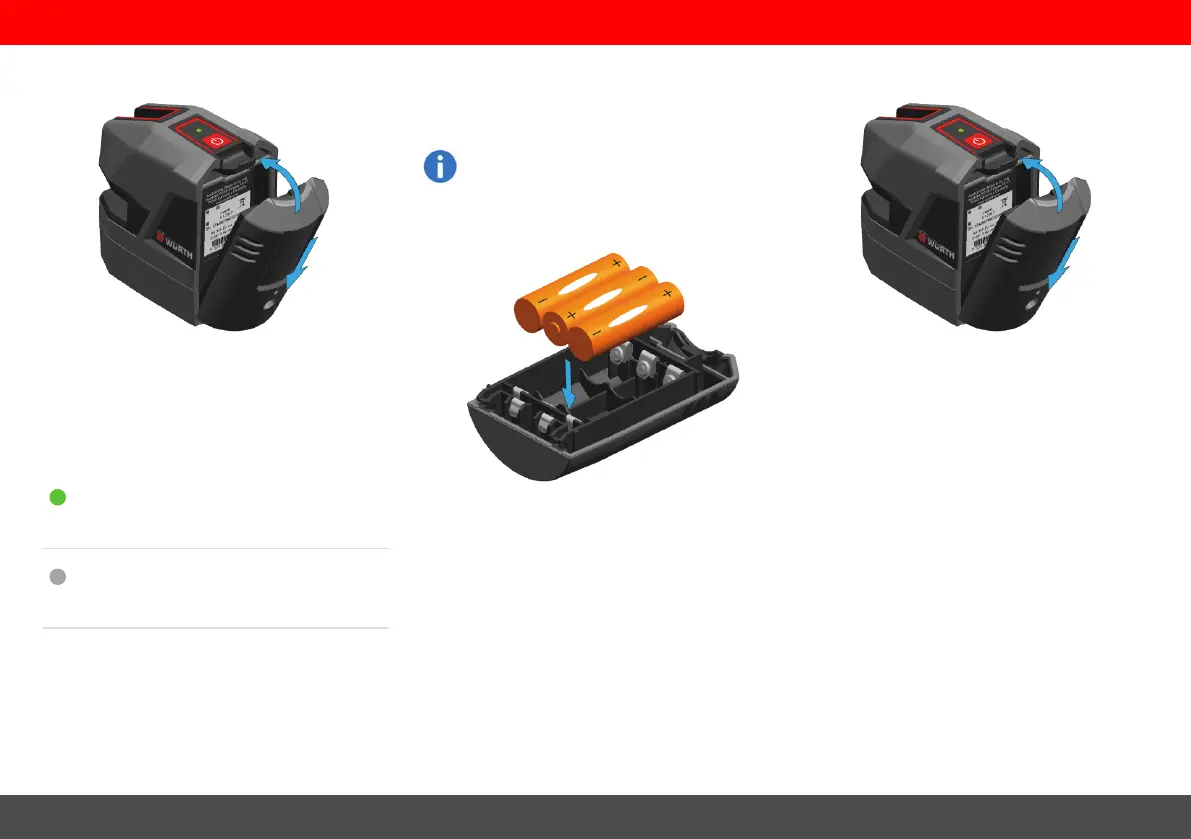
Insert Li-Ion battery
Insert the battery-pack by pressing it down and
then tilting it towards the housing as shown until it
snaps in.
Li-Ion status LED
lights green: charging battery
OFF: charging finished / no charging
Alkaline batteries
To ensure a reliable use, we recommend
using high quality Alkaline batteries.
Insert Alkaline batteries
Insert Alkaline batteries in the battery-pack.
Insert the battery-pack
Insert the battery-pack by pressing it down and
then tilting it towards the housing as shown until it
snaps in.
Würth CLL18/CLG18
6


 To Next Page