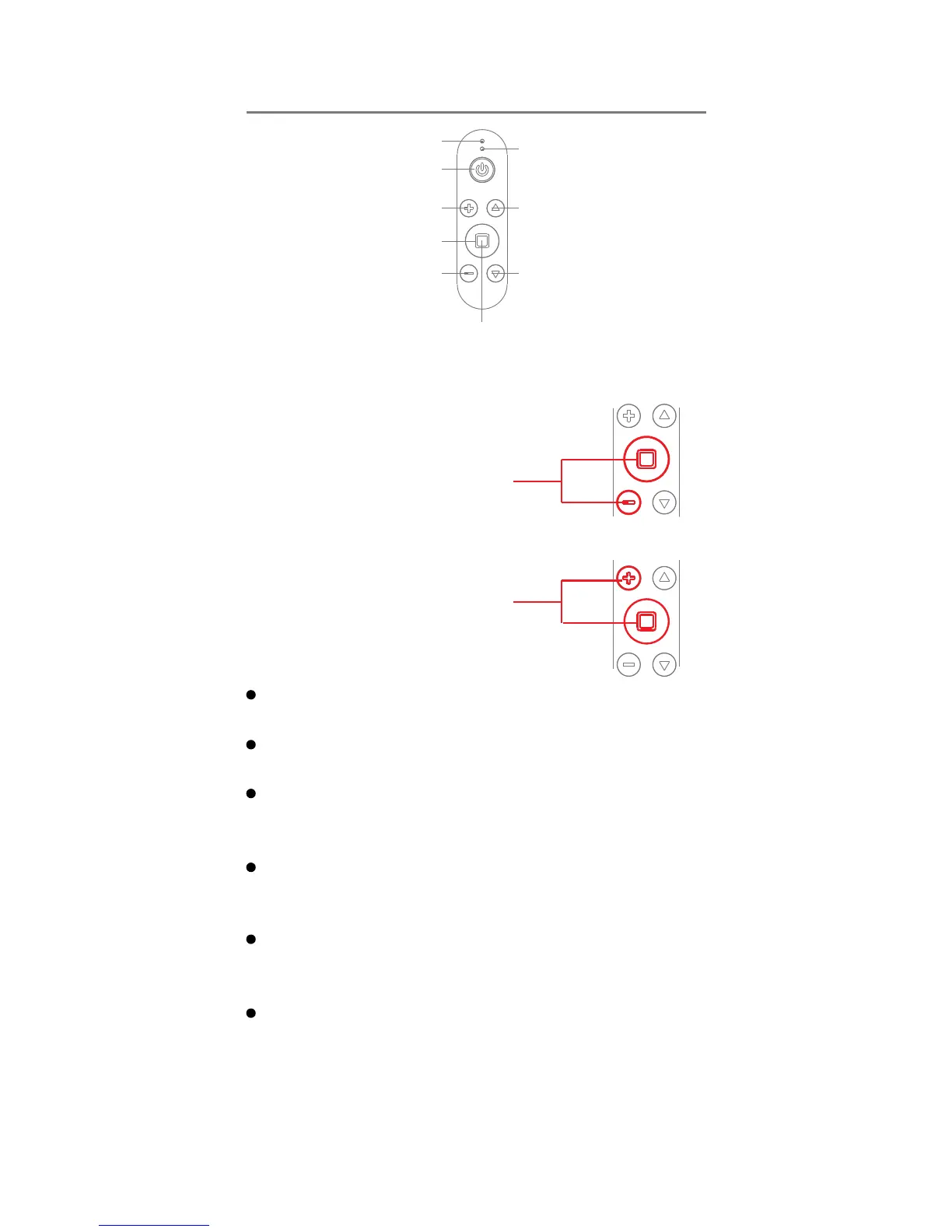
Charge Indicator Light
Status Indicator Light
Phone Clamp
Pitch Up
Phone Clamp
Pitch Down
ON/OFF
Zoom In
Zoom Out
Shutter/Record
Long Press: Enable/Disable the
Face Detection and Tracking Function
Press and Hold the Shutter
Button and then single-press
the Minus Sign “ – “ button.
Toggle Between the Front and Rear Facing Cameras
Press and Hold the Shutter
Button and then single-press
the Plus Sign “ + “ button.
Toggle Between Photography and Videography
Modes with a single button.
Lights and Buttons
Photo &Video Modes:Single Press: Shutter / Record
Double Press: 5-Shot Burst
Toggle the Face Detection and Tracking Mode:
Long Press the Shutter Button for 4 Seconds.
Toggle between Photo and Video Modes: Press and
Hold the Shutter Button and then single-press the
Plus Sign “ + “ button.
Toggle Between the Front and Rear Facing Cameras:
Press and Hold the Shutter Button and then
single-press the Minus Sign “ – “ button.
Charge Indicator Light:
Green Light ON: Charging
Green Light OFF: Charging Complete.
Status Indicator Light:
Solid Blue Light: X-Cam is successfully connected.
Slow Flashing Blue Light: Your X-Cam is not
connected, and is in Pairing Mode.
Quick Flashing Blue Light: Your X-Cam is low on
power, needs to be charged.


 To Next Page
 Loading...