EasyManua.ls Logo

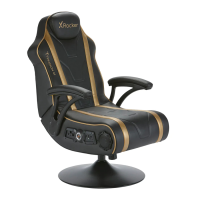
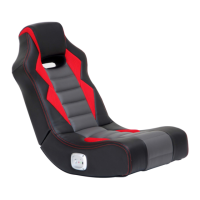
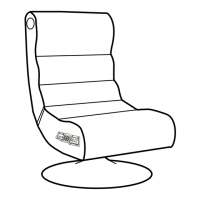
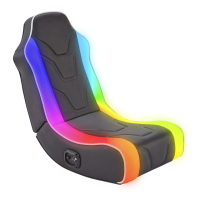
X Rocker 4.1 - User Manual

X Rocker 4.1
12 pages
Print Icon
To Next Page IconTo Next Page
Loading...
4.1 Wireless
& Bluetooth
with vibration
Need Help?
Email: support@xrockergaming.com
www.xrockergaming.com
IMPORTANT: You must keep your original retail receipt as proof of purchase.
Question and Answer IconNeed help?

Do you have a question about the X Rocker 4.1 and is the answer not in the manual?

Summary

Welcome to X Rocker!

Control Panel Overview

Wireless Connection Guides

PS4 Wireless Connection

Guide for connecting X Rocker to PS4 wirelessly via optical cable.

Xbox One Wireless Connection

Guide for connecting X Rocker to Xbox One wirelessly via optical cable.

TV Wireless Connection

Guide for connecting X Rocker to TV wirelessly via optical cable.

Wired Connection Guides

TV Wired Connection

Guide for connecting X Rocker to TV wired via 3.5mm audio cable.

PS4 Controller Wired Connection

Guide for connecting X Rocker to PS4 controller wired via 3.5mm audio cable.

Bluetooth Connection Guide

Troubleshooting Tips

No Power Issues

Steps to resolve issues with no power reaching the control panel.

No Sound Issues

Steps to resolve issues when no sound is produced by the chair.

Wireless Issues

Troubleshooting wireless transmitter cutouts, interference, and sound loss.

Health and Safety Information

Power Supply Safety Information

Summary

Welcome to X Rocker!

Control Panel Overview

Wireless Connection Guides

PS4 Wireless Connection

Guide for connecting X Rocker to PS4 wirelessly via optical cable.

Xbox One Wireless Connection

Guide for connecting X Rocker to Xbox One wirelessly via optical cable.

TV Wireless Connection

Guide for connecting X Rocker to TV wirelessly via optical cable.

Wired Connection Guides

TV Wired Connection

Guide for connecting X Rocker to TV wired via 3.5mm audio cable.

PS4 Controller Wired Connection

Guide for connecting X Rocker to PS4 controller wired via 3.5mm audio cable.

Bluetooth Connection Guide

Troubleshooting Tips

No Power Issues

Steps to resolve issues with no power reaching the control panel.

No Sound Issues

Steps to resolve issues when no sound is produced by the chair.

Wireless Issues

Troubleshooting wireless transmitter cutouts, interference, and sound loss.

Health and Safety Information

Power Supply Safety Information

X Rocker 4.1 Specifications

General IconGeneral
Vibration MotorsYes
Weight Capacity275 lbs
ArmrestYes
Power SourceAC Adapter
Audio System4.1
Speakers4 speakers and subwoofer
ConnectivityRCA
MaterialFaux Leather
CompatibilityMost gaming consoles, mobile devices
FoldableYes
Control PanelYes
TypeFloor Rocker or Pedestal (depending on the specific model)

Related product manuals