- 5 -
INSTALLATION – SMMAG01: Magnetic and Current Sensor Module
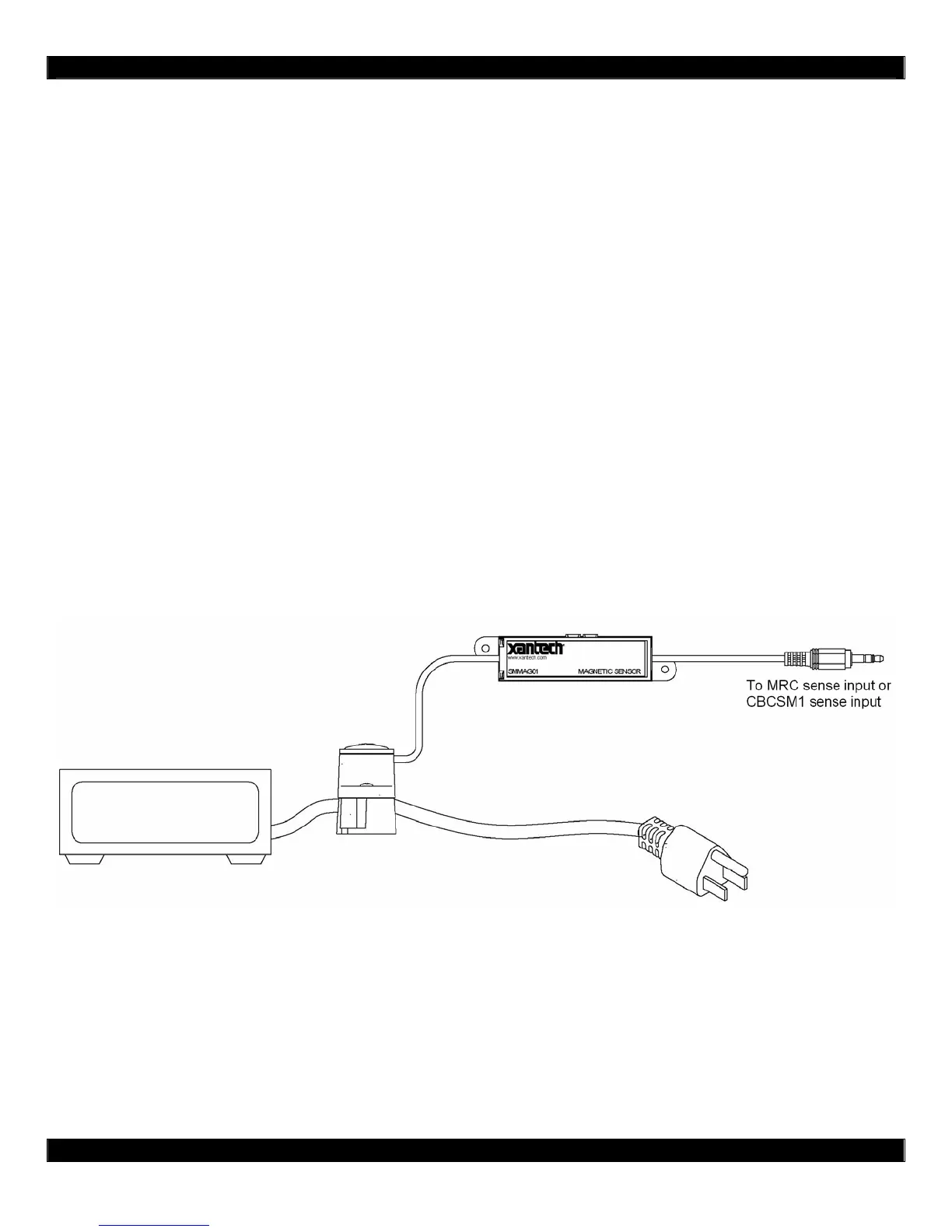
The SMMAG01 sensor module provides status feedback by monitoring the AC current in power cords
of the AC magnetic fields from CRT monitor and motors. For AC current in power cords, the sensor
head is placed on the actual power cord. No power cord stripping or cutting is required. For AC
magnetic fields, the base is removed and the sensor head is placed near the AC magnetic field
source.
The sensor head comes with an insert that is placed between the head and the base. This insert
allows the use of various power cord sizes and shapes, such as flat “lamp” cords.
Power Cord Application
(1) Plug the 1/8” (3.5mm) mini-plug into the sensing controller (CBCSM1 and MRC platform
provides power to the sensor module). Sensing controller power should be off.
(2) Place the sensor head on the power cord.
(3) Connect the power cord as you would normally do.
(4) Turn on the device connected to the power cord and power the device ‘on’.
(5) Verify the SMMAG01 LED indicator is ‘on’.
(6) Turn off the device connected to the power cord and power the device ‘off’.
(7) Verify the SMMAG01 LED indicator is ‘off’.
(8) If the indicator is not ‘off’, then adjust the sensitivity until the LED just turns off.
(9) Repeat Steps 4 to 8 until both ‘on’ and ‘off’ conditions are satisfied.
Magnetic Field Application
(1) Plug the 1/8” (3.5mm) mini-plug into the sensing controller (CBCSM1 and MRC platform
provides power to the sensor module). Sensing controller power should be off.
(2) Place the sensor head near the magnetic field source.
(3) Generate the magnetic field source. (i.e. CRT monitor or motor ‘on’)
(4) Verify the SMMAG01 LED indicator is ‘on’.
(5) Turn off the magnetic field source. (i.e. CRT monitor or motor ‘off’)
(6) Verify the SMMAG01 LED indicator is ‘off’.
(7) If the indicator is not ‘off’, then adjust the sensitivity until the LED just turns off.
(8) Repeat Steps 4 to 8 until both ‘on’ and ‘off’ conditions are satisfied.


 To Next Page
 Loading...