3
7. Add camera
Enter APP device management, click “+”,choose
“IP camera”.
Quick setup
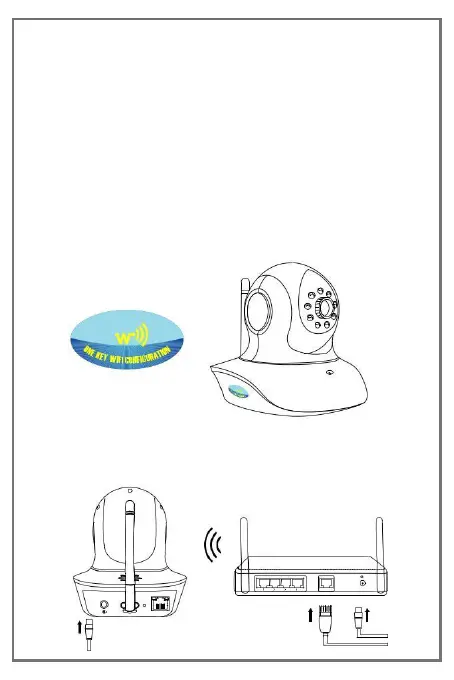
Only support camera with one key WiFi setup function.
① Check the camera whether have “One key WiFi
configuration” sticker.
② Connect camera power, wait camera speaks“One key
WiFi configuration is waiting”.
DC 5V


 To Next Page