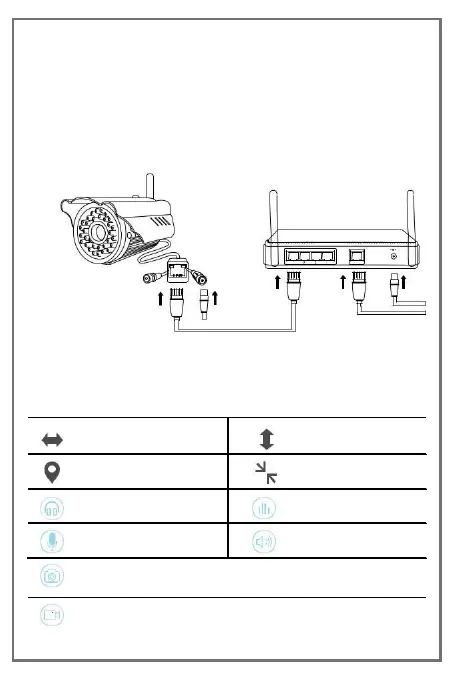
Search camera in LAN
For camera without one key WiFi config function, choose
search add camera in the same LAN as the phone.
Connect camera with power and network cable,confirm
router LAN port yellow light is flashing,Click bundle.
Video interface discription
Snapshot,can browser picture in history.
Recording,can view video in history.


 To Next Page