19
04. BUTTONS AND SCREEN ICONS
POWER
Hold for 3 sec. to turn the camera on and o.
Short press turns the screen on and o.
RESET
Pressing the button resets the camera and restores
default settings.
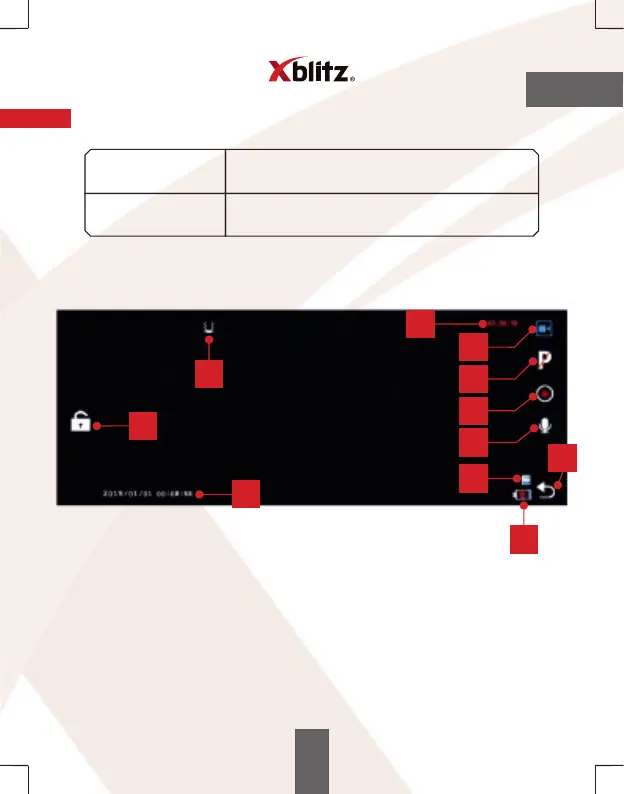
The camera has a touchscreen, used to operate it.
The view between cameras is switched by moving the screen to the right or left.
EN
1. Recording time.
2. Camera mode status.
3. Parking mode on/ o.
4. Play - press to start/ stop recording.
5. Sound recording on/ o.
6. Menu. Press to go to the menu where you can change the mode
(video, photo, file viewer) or camera settings.
7. Camera memory status.
8. Charging status.
9. Time and date.
10. Video protection icon. Pressing it will protect the current recording from being
overwritten later.
11. G-Sensor sensitivity.
9
6
7
8
2
10
1
3
4
5
11



 To Next Page