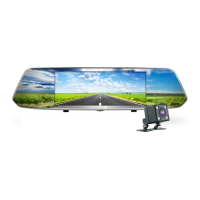
Press and hold the button , turn on the unit , it starts recording automatically .
Press and hold it again , the video is saved automatically before it is turned off .
2) IR on/off
Press the button shortly under standby mode , the IR led is changed between
on/off/auto .
2. OK
1) Record on/off
Press “OK” button under video mode , it starts recording , press it again , it stops
recording
2) Take photo
Press “OK” button under photo mode , it takes photo
3) Play video
Press “ OK ” button under playback mode , the video is played
4) Confirm
Press “OK” button under video mode/photo mode/playback mode , enter into menu
option , press “Up/Down” to choose menu , and press “OK” button to confirm it .
5) Full screen
Press and hold under video mode/photo mode/playback mode , full screen / normal
screen is exchanged
3. Up
1):Up
For “Up” under menu option and playback mode
2)1CH/2CH exchange
The unit shows 2CH while rear camera is connected . Press “up” button under video
mode , front camera/back camera/picture in picture/2CH is exchanged . Press “Up”
button under photo mode , front camera/back camera is exchanged
3)Motion detection on/off
Press and hold it under standby mode , motion detection is on , press it again ,
motion detection is off .
4)Fast backward
Press “Up” button for fast backward while it’s playback
4. Down
1)Down
For “Down” under menu option and playback mode
2):Audio on/off
Press “Down” button under video mode , audio is off . Press it again , audio is on
3):Fast forward
Press “Down” button for fast forward while it’s playback
4):Parking monitor
Press “Down” button under standby mode ,parking monitor on/off is exchanged
5. Menu
1):Menu
Press “Menu” button under standby mode , enter into menu option , press
“Up/Down” button to choose menu , press “OK” button to confirm . Press “Menu”
button again until exit menu option
2):SOS
Press “Menu” button under video mode , the video is locked manually and it won’t
be covered automatically in this case
6. Mode
Press “ Mode” button under standby mode , video mode/photo mode/playback
mode is exchanged
II.Installation instruction
1. Power off the car engine.



 To Next Page