7
3. Beeper and Pre-Workout-Countdown setting: The WOD Timer is equipped with an internal beeper to loud-notice some events. Its software
is furthermore programmed to display a 10 seconds pre-workout-countdown, with beeper on last 3 seconds.
(sometimes the user who control the Timer with the remote, needs to train himself as well, so the pre-workout-countdown helps him to leave
the remote down and to join the training group).
Attention: to use the button to select one of the three beeper volume levels.
Press and the Timer displays PC : - - : 00. The rst letter “P” stands for Pacer, while the second letter “C” stands for Countdown. The last
two digits on the right side can be adjusted by using the numeric pad on the remote, to switch ON/OFF either the Beeper (anytime the beeper is
required. Example: training timer pacer) and the Pre-Workout-Countdown (see Interval Timer Operation Manual section). Once set, just conrm
the data by pressing .
. pc : - - : 00 stands for Beeper OFF and Pre-Workout-Countdown OFF.
. pc : - - : 0 1 stands for Beeper OFF and Pre-Workout-Countdown ON.
. pc : - - : 1 0 stands for Beeper ON and Pre-Workout-Countdown OFF.
. pc : - - : 1 1 stands for Beeper ON and Pre-Workout-Countdown ON.
4. Press to enter into clock/temperature mode. Timer alternate displays clock and temperature according to the entered general settings.
While the Timer is waiting for data to be entered (any setting procedure), the button is not activated.
Attention:
Anytime the Timer is waiting for data entering by the user, and nothing happens within 90 seconds, it will go back to
clock/temperature mode by itself (timeout function).
STOPWATCH OPERATION MANUAL:
1. Press to enter the Timer in to the Stopwatch function. The Timer shows 00 : 00 : 00.
.Press to start the count-up stopwatch.
.Press to stop the stopwatch and to hold on the display the recorded time.
.Press to go back to 00 : 00 : 00. (If is pressed while stopwatch is working, the Timer will go back to 00 : 00 : 00 as well).
.While the stopwatch is working, press to activate the LAP function. Timer stops just on display while it keeps counting
the time on background. Press to display again the count-up from the value it has reached by working on background.
Press to just go back to 00 : 00 : 00.
Attention: if Beep-Pacer was set for stopwatch (see below number 2.), while the stopwatch is working on background for LAP
function, the beeper keep sounding too at the set pacer-time).
2. Stopwatch Beep-Pacer setting: press after having entered in to the stopwatch function. The Timer will display P : 00 : 00, or
P- : 00 : 00 The former stands for beep-pacer ON, while the latter stands for beep-pacer OFF. To switch pacer ON/OFF, just use the buttons
and . To set the pacer time (minutes and seconds), just enter MM : SS by using the numeric pad on the remote (enter a value between
00 : 0 1 and 99 : 99), then conrm all settings and data with .
Example, if you set P : 00 : 05, the pacer beeps every 5 seconds, while the stopwatch is running.
To go back to the Stopwatch, just press again and the Timer displays 00 : 00 : 00.
Attention: the beep-pacer function is not available if the beeper is deactivated by the general settings (see General Settings
Operation Manual at item 3) ).
3. COUNT-DOWN STOPWATCH: if it would be necessary to use the stopwatch as a count-down (example: to quickly set and perform an AMRAP
workout (As More Reps As Possible – within a set time) ), once the Stopwatch function has been selected , press the button and the
Timer displays SP : dn : - -. So press to set and/or modify the time to be counted down by the Stopwatch MM : ss : ss . The Timer displays
00 : 00 : 00 (or the latest set value) and the rst left-side digit will start blinking. Countdown time could be set by using the numeric pad and/or the
,
. Once set the Countdown time, just conrm it by pressing . The Count-Down Stopwatch will work with the same operation buttons
of the Count-Up one , , , . If it wouldn’t necessary to set and/or amend a Count-Down time (so to use the latest set),
just use the button after having entered in to the Count-Down Stopwatch function.
Attention: the Stopwatch beeper function could be set also for Count-Down feature.
ALARM OPERATION MANUAL:
1. Press to enter the Timer in to the Alarm function. The Timer shows - 1 : 00 : 00. The rst digit on the left side stands for Alarm ON (minus
mark “-” isn’t displayed) / OFF (“-“ is displayed). The second digit (from 1 to 9) stands for the Alarm is being set (The Timer can store up to 9
different Alarms). The rest of the editable digits stand for HH:MM (time the Alarm will sound).
Attention: the Alarm setting mode can be entered just while the Timer is on Clock mode. While the Timer is on any other mode, the
button will be deactivated.
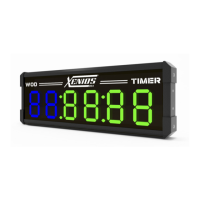
WOD TIMER
OPERATION MANUAL:


 To Next Page
 Loading...