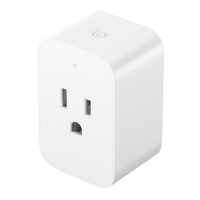
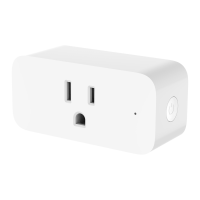
How to Use
When using the plug for the first time,
insert it into a socket. The indicator will
come on to show that the plug has
turned on and is ready to be paired with
the Mi Home/Xiaomi Home app. (Please
find and pair the plug within 30 minutes
of turning it on, otherwise it will need to
be turned off and back on again to pair.)
Power buon
Aer the plug is connected to the
power, the power buon can be used for
the following functions.
Press once: Turn the plug on/off.
Press twice: Start/cancel instant
countdown (this function must be
enabled in the Mi Home/Xiaomi Home
app aer pairing).
Press and hold for seven seconds:
Restore factory seings.
Indicator status
You can check the plug's status by the
indicator when the plug is connected to
the power.
Blinking orange: Plug is turned on and
awaiting connection (blinks for three minutes
and waits for a connection for 30 minutes).
Blinking orange twice: Instant
countdown canceled.
Blinking blue twice: Instant countdown started.
Blinking blue: Connecting to network.
Keeping blue: Plug is turned on and
connected to the network.
Blinking blue: OTA update in progress.
Once updated, the plug will revert to its
previous state.
Indicator off: Plug is turned off. (The
indicator can also be turned off in the Mi
Home/Xiaomi Home app and the plug
will still work normally.)
14


 To Next Page
 Loading...