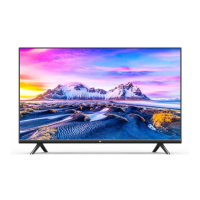
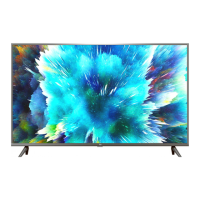
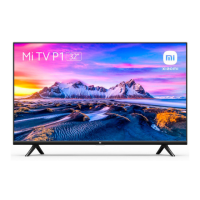
This document serves as the user manual for the Mi TV P1 50", a smart television designed for home entertainment. It provides essential information on the setup, operation, and maintenance of the device, ensuring users can maximize its features safely and effectively.
Function Description
The Mi TV P1 50" is a 50-inch Android TV that offers a comprehensive entertainment experience. It functions as a central hub for various media, allowing users to watch live television, stream content from popular applications, play games, and connect external devices. The television supports high-resolution display, delivering crisp and vibrant visuals for an immersive viewing experience. Its smart capabilities, powered by Android TV, enable access to a wide range of apps, voice control through Google Assistant, and seamless integration with other smart home devices. The TV is equipped with multiple input and output ports, including HDMI, USB, Ethernet, optical out, and AV input, facilitating connectivity with Blu-ray/DVD players, HD players, digital set-top boxes, computers, and game consoles. It also features built-in Wi-Fi and Bluetooth for wireless connectivity, enhancing its versatility and ease of use. The inclusion of Chromecast built-in allows users to cast their favorite entertainment from Android, iOS, Mac, Windows, or Chromebook devices directly to the TV.
Usage Features
The Mi TV P1 50" is designed for intuitive and convenient use, with features that cater to a diverse range of entertainment needs.
Remote Control Operation: The TV comes with a remote control that provides direct access to various functions.
- Power: Turns the TV on and off.
- Audio Track: Selects audio tracks from multiple options.
- Number Buttons: Directly accesses channels.
- INFO: Launches the info bar for current program details.
- TTX: Selects or exits Teletext mode.
- Input: Selects available video sources.
- Settings: Displays the main on-screen menu for customization.
- CH List: Shows the channel list or switches to live TV.
- Google Assistant: Activates voice commands for searching content, controlling the TV, and accessing information (availability may vary by language and country).
- Netflix & Prime Video: Provides direct access to these popular streaming applications.
- OK: Confirms selections during navigation and can pause/play current video during playback (except for Live Channels).
- Direction Buttons: Navigates up/down/left/right through content; used for rewind/fast-forward during playback.
- Back: Returns to the previous channel, closes a menu/application, or goes back to the previous menu.
- PatchWall Home: Quickly returns to the PatchWall Home screen.
- Android TV Home: Quickly returns to the Android TV Home screen; long press opens the App drawer.
- Exit: Quits the current menu.
- Volume: Adjusts the volume level; long pressing the "-" button mutes the TV.
- Channel: Selects channels in live TV mode.
- Mute: Mutes/un-mutes the volume.
- Color Buttons: Selects options directly, often context-sensitive.
The remote control also features a pairing function, requiring users to press the "Mi" and "O" buttons simultaneously while pointing the remote at the center of the TV for initial setup.
Connectivity: The TV offers extensive connectivity options:
- HDMI Ports: Multiple HDMI ports (including eARC) for connecting Blu-ray/DVD players, HD players, computers, and game consoles.
- USB Ports: USB 2.0 ports for connecting external storage devices or other peripherals.
- Ethernet Port: For wired internet connection.
- Optical Out: For connecting to external audio systems.
- AV Input: For connecting older devices with composite video and audio outputs.
- Satellite IN & Antenna/Cable IN: For receiving satellite and terrestrial/cable TV signals.
- Common Interface (CI) Slot: For inserting CI cards, typically used for encrypted TV services.
- Earphone Out: For connecting headphones.
Smart Features:
- Android TV: Provides access to the Google Play Store for downloading apps, games, and other content.
- Google Assistant: Enables voice control for searching, playing media, and managing smart home devices.
- Chromecast built-in: Allows seamless casting of content from compatible mobile devices and computers.
- Wi-Fi and Bluetooth: Facilitates wireless internet access and connection to Bluetooth accessories like speakers or headphones.
Maintenance Features
Proper maintenance is crucial for the longevity and optimal performance of the Mi TV P1 50". The manual outlines several precautions and cleaning instructions.
Installation Precautions:
- Power Outlet: Install near an easily accessible AC power outlet.
- Stable Surface: Place on a smooth, flat surface to prevent falling and damage.
- Wall Mount: If using a wall mount, use an authorized one with correct screw sizes to prevent internal damage or falling.
- Ventilation: Ensure adequate space around the TV for proper ventilation. Do not cover ventilation holes or place the TV in enclosed spaces like shelves, carpets, beds, or closets. Avoid covering with fabric or other materials.
- AC Power Cord: Use the provided 100-240V AC power supply. Always plug the cord completely into the outlet and unplug it before connecting other cables or moving the TV. Keep the cord away from heat, avoid pinching, bending, or twisting, and do not place heavy objects on it. Clean the plug regularly to prevent fire risk. Do not connect too many devices to one outlet.
Moving the TV:
- Disconnect Cables: Disconnect all cables before moving.
- Team Lift: For large TVs, use two or more people to move safely.
- Handle with Care: Avoid applying pressure to the LED panel, shaking, or exposing to excessive vibrations.
- Original Packaging: Use the original box and packaging materials when moving for repairs or to a new location.
Usage Restrictions:
- Environment: Do not install or use the TV outdoors, in direct sunlight, by the sea, in a ship, car, medical institution, unstable locations, near water, in places exposed to rain, moisture, mildew, or in dressing rooms of public baths/spas (due to sulfide in the air). Avoid hot, damp, dusty places, places with insects, mechanical shock, or near flammable objects. Do not expose to dripping/splashing water or place liquid-containing items on top.
- Conditions: Do not use with wet hands, an open case, or unauthorized accessories. Disconnect from AC power during lightning storms.
- Screen Protection: Do not throw objects at the TV screen to prevent damage and serious injury. If the screen surface is damaged, do not touch it before unplugging the AC power cord.
- Operating Conditions: Maintain operating temperature between 0°C-40°C, storage temperature between -15°C-45°C, and relative humidity below 80%.
- Eye Care: Watch TV in appropriate lighting conditions and avoid prolonged viewing to protect eyesight.
Cleaning the Screen/Case:
- Disconnect Power: Always disconnect the AC power cord from the outlet before cleaning.
- Soft Cloth: Use a soft cloth to remove dust. For stubborn dust, moisten the cloth with a mild detergent.
- Avoid Direct Spray: Do not spray water or detergent directly onto the TV.
- Avoid Harsh Chemicals: Do not use scrub pads, alkaline/acid cleaners, scouring powder, alcohol, volatile oils, thinners, or insecticides, as these can damage the screen surface and casing.
- Ventilation Cleaning: Regularly clean the vents to ensure proper ventilation.
- Adjusting Angle: Move the TV slowly when adjusting its angle to prevent it from slipping or moving.
Disposal:
- E-waste Recycling: Do not dispose of e-waste in municipal waste bins. Return the product to a nearby authorized Collection Centre, registered Dismantler, or Recycler for proper disposal.
- Do's: Look for end-of-life equipment handling information, use authorized recyclers, call authorized e-waste recyclers, drop used products at authorized collection points, and separate packaging materials for recycling.
- Don'ts: Do not dismantle electronic products, throw electronics in "Do not Dispose" bins, or give e-waste to informal/unorganized sectors.
These guidelines ensure safe and efficient use, prolong the device's lifespan, and promote environmentally responsible practices.

 Need help?
 General

 To Next Page