transport the relay pin to the finish line, thus allowing for a
greater reach of the Wi-Fi network. The more boosters you
add to the network, the greater the network's range.
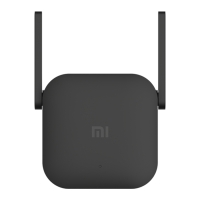
What should I do if my internet speed drops after
connecting the Mi Wi-Fi Range Extender Pro?
If the internet speed slows down after you connect the
signal booster, there may be interference on the network.
Open the Mi Wi-Fi or Mi Home app and check the status of
the booster. If the app indicates a weak signal, move the
booster closer to the router and try again.
How do I set up the amplifier if I want to connect
it to a new Wi-Fi network?
Reset the amplifier to factory settings and reconfigure it.
What should I do if my Wi-Fi Range Extender Pro
stops working?
Open the Mi Wi-Fi or Mi Home app and check the
status of the amplifier, then follow the steps
below:


 To Next Page