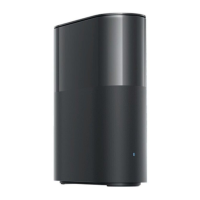
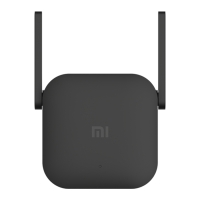
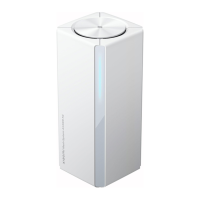
1. Choose a Location: Position the base station indoors, close to a power outlet and within
range of your Wi-Fi network for optimal performance.
2. Connect to Power: Use the provided charging cable to connect the base station to a
power outlet.
3. Connect Ethernet (Optional): For a more stable connection, connect the Ethernet cable
from the base station to your router.
4. Insert SD Card: Insert a compatible SD card (16GB to 256GB) into the designated slot
for local storage.
5. Power On: Press the power button to turn on the base station.
5. Setup and Configuration
1. Download the App: Install the Xiaomi Home app on your Android or iOS device.
2. Create an Account: Open the app and create an account or log in.
3. Add Device:
o Tap on “Add Device” in the app.
o Select “Xiaomi Outdoor Camera Base Station” from the list.
4. Connect to Wi-Fi: Follow the prompts to connect the base station to your home Wi-Fi
network.
5. Complete Setup: Once connected, follow any additional prompts to complete the setup.
6. Features
Local Storage: Store footage securely on SD cards ranging from 16GB to 256GB,
allowing for energy-efficient operation.
Strong Signal: A wireless relay bridge enhances signal strength for smooth HD
playback.
Immediate Alerts: Receive instant notifications and alarms upon event detection in
monitored areas.
Privacy Protection: Equipped with MJA1 security chipset to safeguard your privacy.
7. Troubleshooting
No Power: Ensure the base station is properly connected to a power source.
Connectivity Issues: Check Wi-Fi settings and ensure the base station is within range of
your router.
SD Card Not Recognized: Ensure the SD card is properly inserted and formatted
correctly.
No Alerts: Verify that notification settings are enabled in the app.
8. Customer Support
For assistance, please contact Xiaomi customer support:


 To Next Page
 Loading...