XBOX ONE 100
XMOD Modded Controller
OPERATING THE SPECIAL FUNCTIONS (SF)
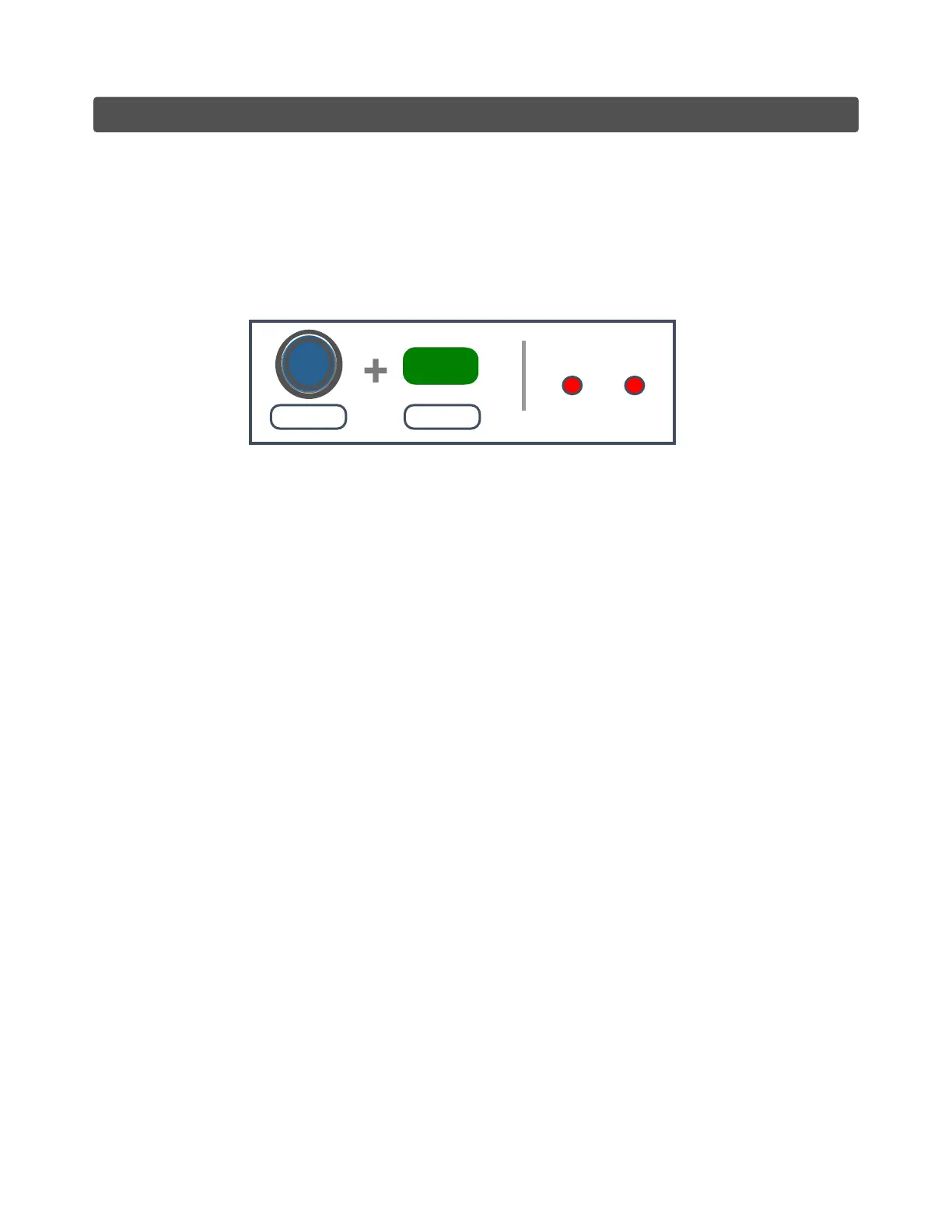
To activate any Special Function (SF):
■ Press & Hold the LEFT Thumbstick (LS) and Tap the MODE button.
■ Release the 2 buttons.
■ The LEDs will stay solid waiting for your input.
MODE
HOLD TAP
LED FEEDBACK
Solid - Waiting
LS
After entering in the “Special Function” (SF) mode you will have 4 options:
1. Tap the correspondent Button to ENABLE the desired function.
2. Tap the same button to DISABLE the current selected function.
3. Tap the MODE button to turn ALL Special Functions OFF.
4. Hold the Right Trigger and tap MODE to EXIT without making any change.
Example: How to enable Drop Shot
To Enable the Drop Shot:
■ Enter in “SF” by holding LS and then Tap the MODE button.
■ Release the 2 buttons.
■ Both LEDs will stay solid waiting for your input.
■ After entering in “SF”: Tap the “B” button to enable the Drop Shot.
To Disable the Drop Shot:
■ Repeat the same actions to enter in “SF”.
■ Tap the “B” button the MODE button to disable the Drop Shot.
You can also disable all active functions by tapping the MODE button after entering in “SF”.
If you have multiple functions active, let’s say you have Akimbo with Drop Shot and you want to
disable just one of them, just tap the correspondent button after entering in “SF” to deactivate that
function.
If you made a mistake or you changed your mind after entering in “SF” and you want to keep playing
with the current function selected just hold the MODE button for 3 seconds to EXIT/CANCEL
without making any change.
LS
MODE


 To Next Page