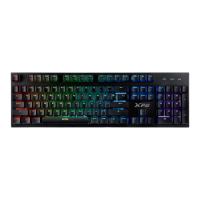
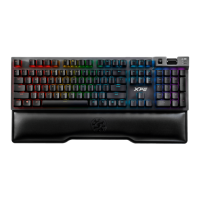
MAGE QUICK START GUIDE
Operating position
Reset position
MECHANICAL
RED SWITCH
KEYBOARD CONNECTION
EN
DE
FR
ES
PT
RU
KR
JP
TR
TH
TC
SC
:
:
:
:
:
:
Profile keys
Profilschlüssel
Clés de profil
Teclas de perfil
Chaves de Perfil
Программируемые
клавиши
프로필�키
プ ロファイルキ ー
Profil Tuşları
自定義快捷鍵
自定义快捷键
:
:
:
:
:
:
EN
DE
FR
ES
PT
RU
KR
JP
TR
TH
TC
SC
Game mode
Spielmodus
Mode de jeu
Modo de Juego
Modo de jogo
Игровой режим
게임�모드
ゲームモード
Oyun modu
遊戲模式
游戏模式
:
:
:
:
:
:
:
:
:
:
:
:
EN
DE
FR
ES
PT
RU
KR
JP
TR
TH
TC
SC
Media keys
Medientasten
Clés multimédias
Teclas Multimedia
Chaves de mídia
Медия клавиши
미디어�키
メディア キ ー
Medya Tuşları
媒體鍵
媒体键
:
:
:
:
:
:
:
:
:
:
:
:
EN
DE
FR
ES
PT
RU
KR
JP
TR
TH
TC
SC
Detachable USB Type-C
Abnehmbarer USB Typ C
USB Type C détachable
USB Tipo C Desmontable
USB tipo C removível
Съемный USB Type-C
분리형 USB Type-C
取り外し可能なUSBType-C
Çıkarılabilir USB Type-C
USB Type-C
可拆式 USB Type-C 電源線
可拆式 USB Type-C 电源线
:
:
:
:
:
:
:
:
:
:
:
:
Product Manual / Manual del producto
When gaming mode is active, a light indicator on the keyboard represented by the controller icon ( ) will remain lit.
Gaming mode can be used to setup profiles, edit lighting effects, and disable the Windows key.
Selecting a specific profile (PF1 to PF3) will also enable gaming mode directly.
Please note that turning on Gaming mode (FN + F6) will always default to the most recently active profile.
Your XPG Mage keyboard has the capability to store up to 3 profiles in the on-board memory.
Keyboard profiles allow you to re-map your Mage keyboard layout and store Macro key sequences.
Profiles are marked as “PF1”to “PF3” on the first 3 Function keys.
+
Gaming mode
Press FN+F6 to enter or exit Gaming Mode.
Press FN + F1 – F3 to select a specific profile.
Understand your Profiles
Press FN+ESC to remove all profile settings, including Macro keys and lighting effects.
Reset your keyboard
Your Windows key will be disabled by default when Gaming mode is activated.
Windows lock
+
+
Your XPG Mage comes standard with full keyboard “N-Key Rollover.” Meaning it can correctly register any combination of
simultaneous keypresses without error.
Press FN + UP/DOWN arrow key to adjust the lighting brightness.
There are 7 predefined Lighting effects in the following sequence:
Static / Color Cycle / Breathing / Reactive / Rainbow Wave / Ripple/Marquee
Press FN + LEFT/RIGHT arrow key to choose a lighting effect.
LED Lighting mode
Anti-Ghosting
Your XPG Mage is compatible with XPG PRIME.
This free software allows you to customize your keyboard in a number of ways including lighting effects, brightness, keyboard layout,
and creating Macro sequences.
Visit www.xpg.com for more information.
XPG PRIME
+
+
MAGE QUICK START GUIDE
產品說明書 / 产品说明书


 To Next Page
 Need help?

 General