Setup the remote for your TV or AV Receiver
1 Press the TiVo button.
2 Go to Menu > Settings > Remote, CableCARD & Devices > Remote Control Setup.
3 Select ‘Set TV Power, Volume and Mute,’ ‘Set TV Input’ or ‘Set A/V Volume and Mute’ and
follow the instructions.
Note: Programming codes will start with a ‘1’. If your device lists codes that begin
with ‘0’ you can go to urcsupport.com to search for your code. On the urcsupport.com
home page select ‘View All Products’. Click ‘Code Finder’ under the TiVo S6 Voice Remote.
Follow the on-screen instructions under ‘Remote Control Setup’ to program your remote.
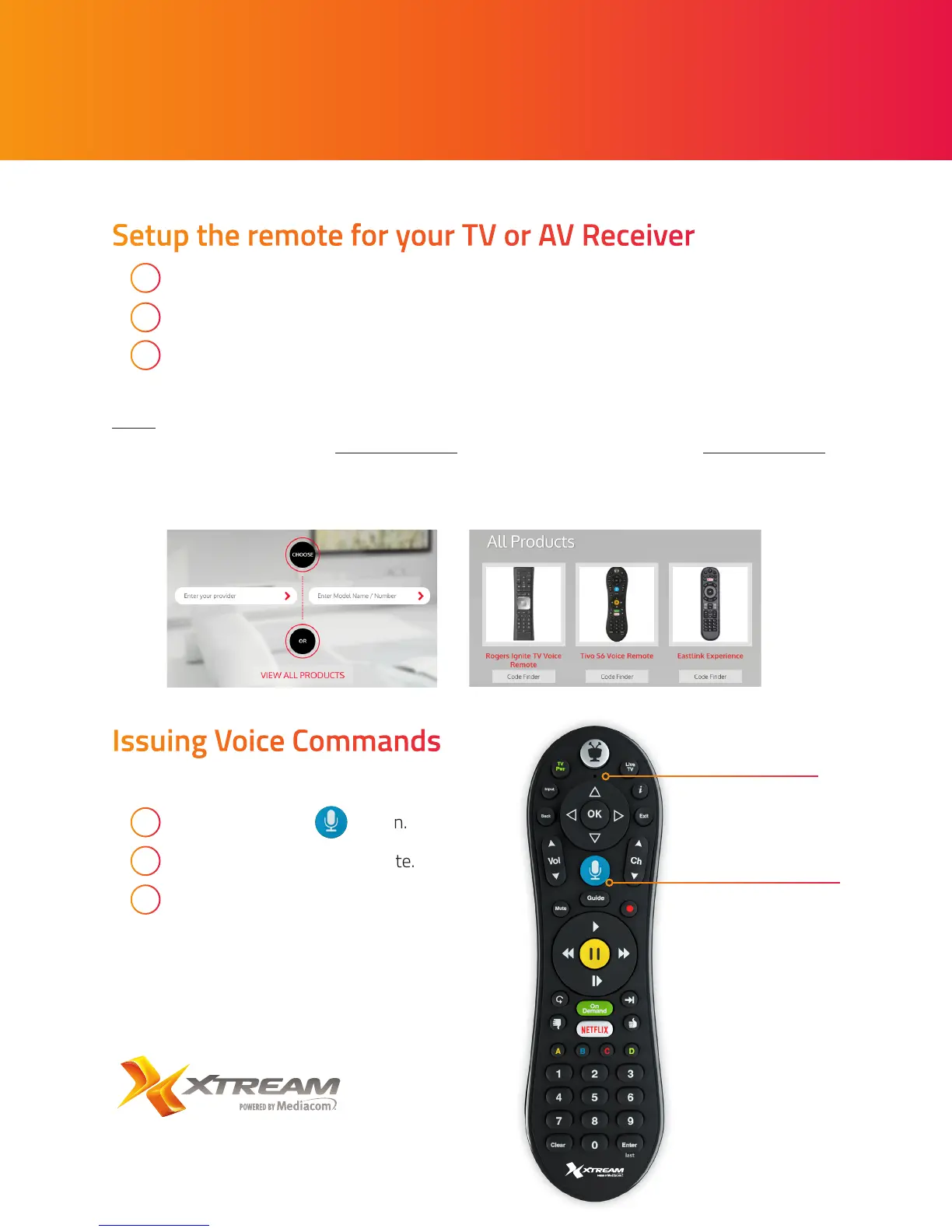
Issuing Voice Commands
To issue a voice command:
1 Press and hold the button.
2 Speak naturally into the remote.
3 Release the button when you
have finished speaking.
Voice button
Microphone


 To Previous Page