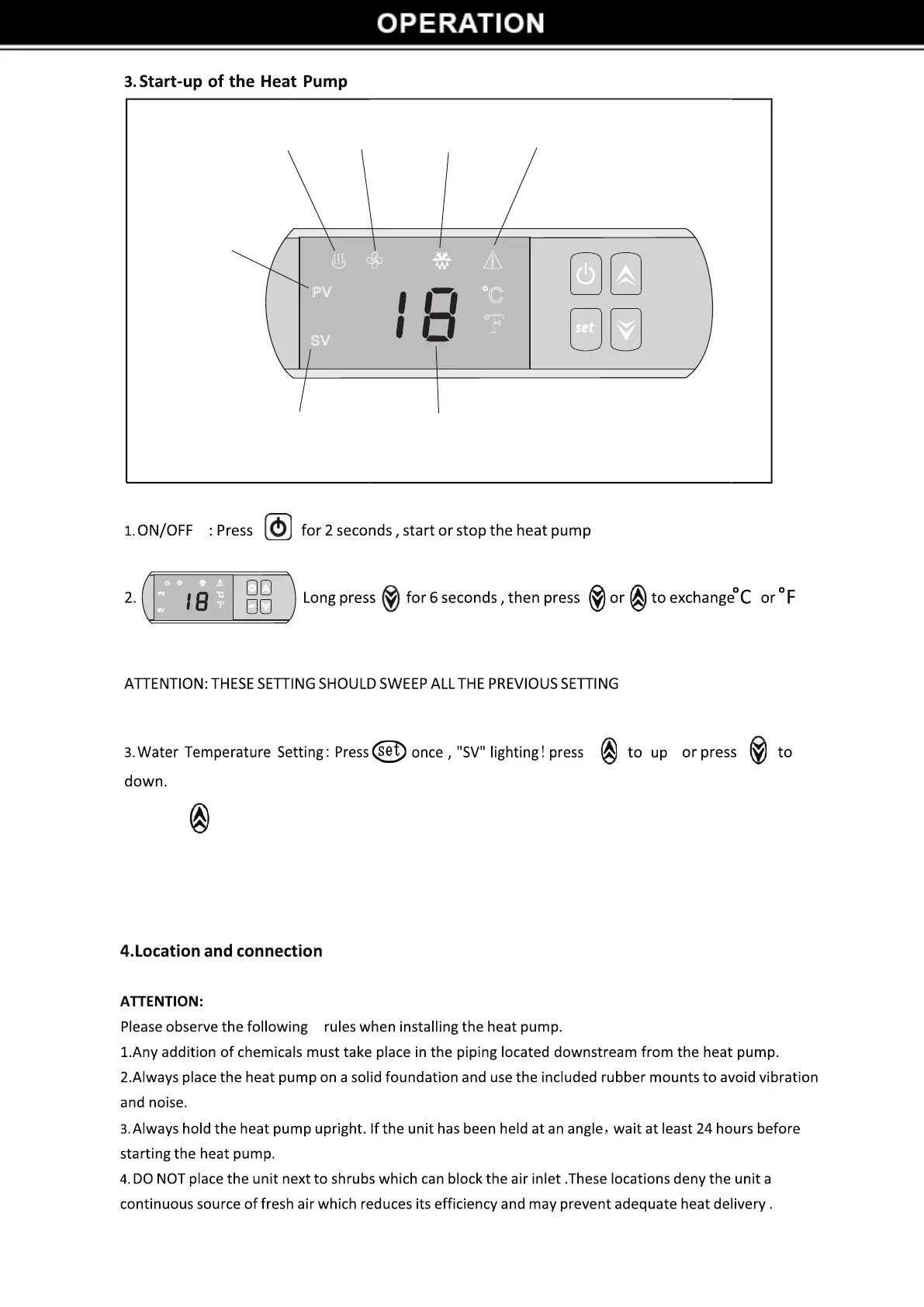
PV
SV
!
。
C
℉
ERRORDEFROSTINGFANHEATING
PRACTICAL
VALUE
SET VALUE WATER TEMPERATURE
PV
SV
!
。
C
℉
4. Press to check the CT when the heat pump is running .
5. That the icon is flashing means preparing to work , and that the icon is lighting means working .
6. E1, E2 or E3 means the sensor is not working please call the service .
5


 To Next Page