USB/SD
Plug a USB storage device or insert an SD memory card, then tap Audio on the
Home screen to play music, tap Video to play the video files, or tap Images to view
the images and photos.
9
10
1. Exit
2. Volume
3. Equalizer adjustment
4. Screen size (4:3 picture or 16:9 picture)
5. Repeat play
Choose from repeat the current file, repeat the current folder, and repeat all files.
6. Audio channel
7. Previous file
8. Pause/Play
9. Next file
10. Subtitle language
11. Change the playback point by chapter number, title number or playing time
12. File menu
※ Please note this feature is not supported on all models.
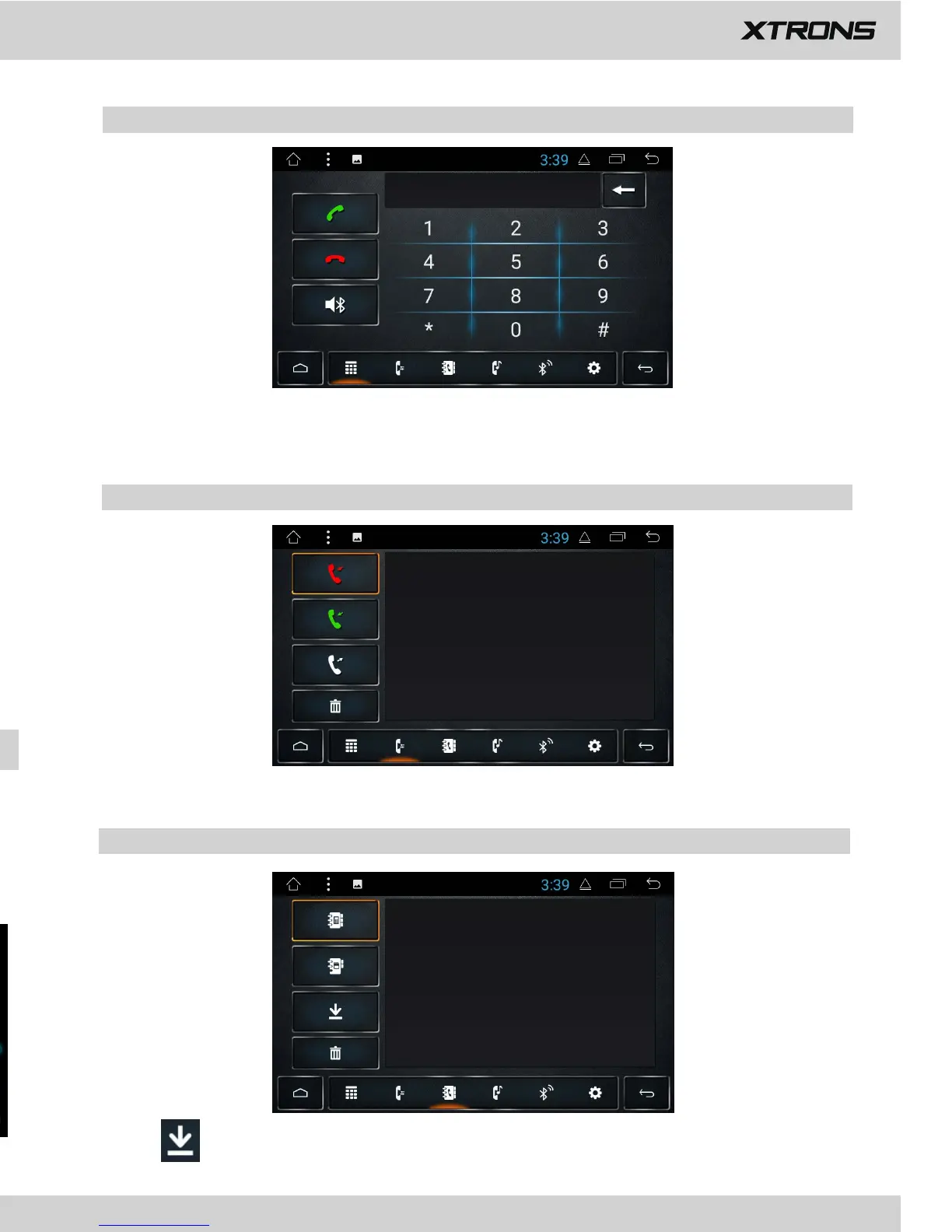
Enter the number to make a call. You can also choose a contact from the phone
book to make a call.
1. Phone calls
View recent o
utgoing calls, incoming calls or
missed calls
.
2. Recent calls
3. Phone book
Tap
to s
ynchronize the contacts from your Bluetooth device.


 To Next Page
 Loading...