INTRODUCTION
Yaesu FT-8800R Operating Manual (courtesy of W5JCK) Page 12 of 83
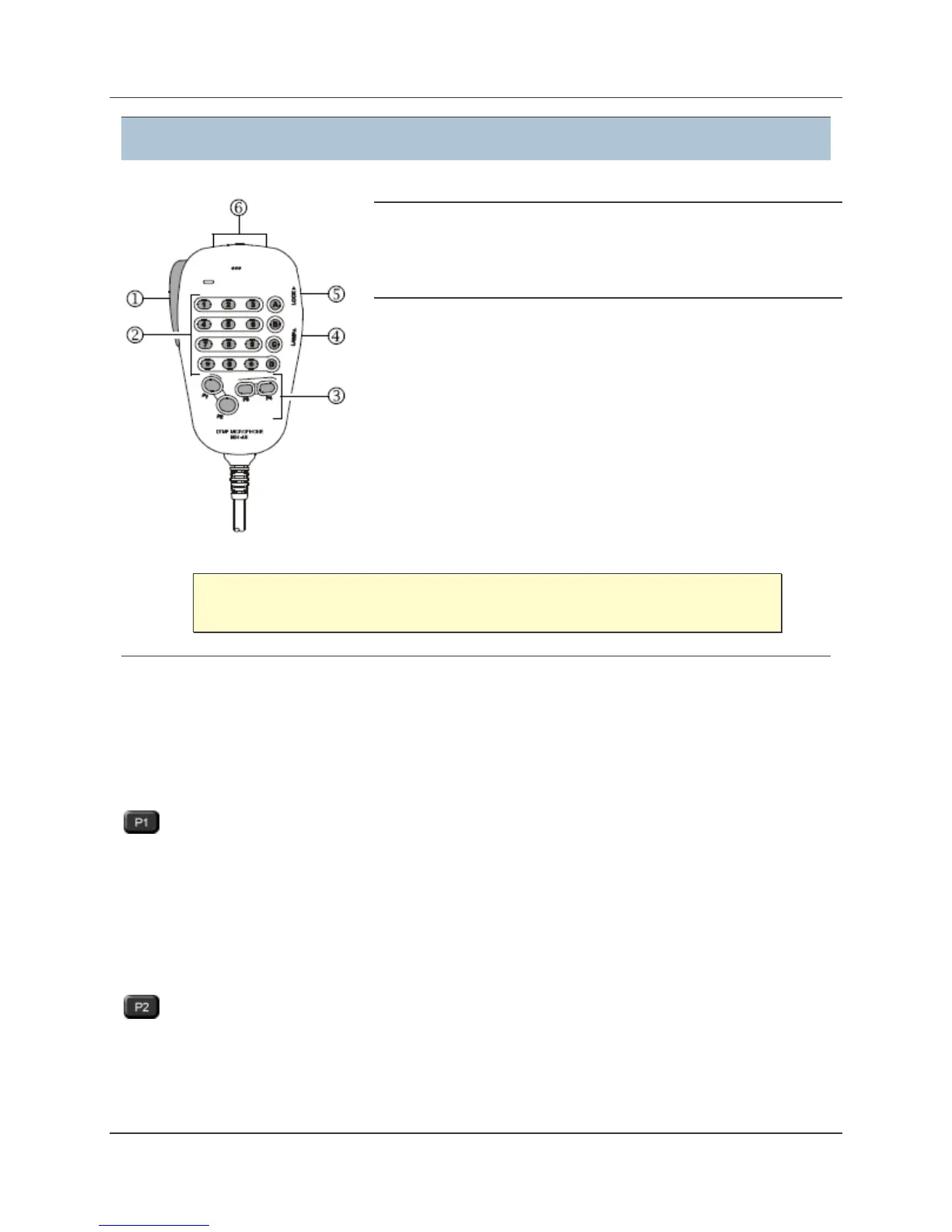
MH−48A6J Microphone Overview
(1) PTT Switch
Press this switch to transmit, and release it to receive.
(2) Keypad
The 12 number keys generate DTMF tones during
transmission.
In the receive mode, these keys can be used for direct
frequency entry and/or direct numeric recall of the Memory
channels.
The A, B, C, and D keys serve no function on the FT−8800R.
(3) Programmable Buttons
You can program any of the Programmable buttons for the following functions: BAND, HOME,
LOW, MHz, PRI, REV, RPTR, SCAN, SQL.OFF, TCALL, TONE, VFO/MR.
(See Program the Microphone Buttons on page 14 for details.)
button: default setting is BAND function
• Press this button to switch the Main band between the Left and Right displays on the
LCD screen. This is the best and easiest way to set the Main band to the side you
prefer.
• Press and hold this button for ½ second to move operation to the next-highest
frequency band on the Main band.
button: default setting is VFO/MR function
• Press this button momentarily to switch the frequency control for the Main band
between the VFO and Memory Systems.



 To Next Page
 Loading...







