Memory Features
Operation
Still, memory checking does not show you
everything you've stored; it only shows the
vis-
Frequency Display Modes
ible front half of the memory. To display the
VFO display with
10-Hz
digit activated (page 14).
them related in some way so &at you can recog-
Press
VFOIM
to switch to MEM mode.
nize both later when only the contents of the
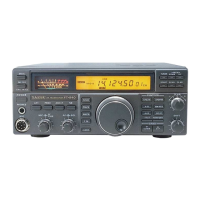
MEM mode display of memory 18 with same frequency.
front half appear.
Note that
10-Hz
digit is not displayed, although it is stored.
can. ;witch operatioh' from the
VFOS
to 'the
memories. Since you can freely tune any mem-
ory, copying it to the VFOs only gives you the
advantage of
VFO-A
or
VFO-B
display indication.
Holding the
M -VFO
button for
'/2
second cop-
ies the current memory channel data into the
VFOs. Pressing it only momentarily shows you
the contents of the memory, without actually
overwriting the VFO data. Otherwise, when you
press and hold this button, you loose the pre-
vious contents of both VFOs, and if you were
receiving on a VFO, operation shifts to the fre-
quency and mode copied from the memory (and
now in the VFO).
In most situations you may find it more con-
venient simply to switch operation from the
VFO
to the memory, by pressing the
VFOIM
button.
This method allows you to leave any settings in
the VFOs undisturbed, so you can instantly re-
call them just by pressing
VFOIM
again.
When actually operating on a memory (if you
haven't retuned it),
"MEM"
is displayed at the left
(instead of
"VFO-A"
or "VFO-a"), and you can
press the
DOWNIUP
buttons on the panel (or the
microphone buttons) to select any previously
stored memory for operation. You cannot acti-
vate memory checking or copy the recalled
memory directly to another memory, as the func-
tion of the
VFO-M
button changes as described
later under
Memory Blanking.
However, there is an easy way to get this
button to work the same as it does on the VFOs,
and to regain the memory checking feature: if
you change frequency, mode or clarifier settings,
or if you press
AIB
to switch front and back
halves,
"MEM"
on the display is replaced with
"M
TUNE"
(but see the box below). In this
memory
hzning
mode, the functions of several buttons
differ from the ordinary memory recall mode:
Touch the tuning knob or microphone
UPIDWN
button to
switch to M TUNE mode.
M TUNE mode display of retuned memory 18
(+I0
Hz).
Press
VFOIM
once to cancel changes and revert to MEM
mode, and press it again to return to VFO mode.
the
DOWNIUP
buttons select ham bands or 100-
kHz
steps (as when operating on the VFOs), the
microphone buttons duplicate the tuning knob
functions instead of the front panel
DOWNIUP
buttons, and the
VFOIM
button cancels any
changes to the memory and returns you to the
memory recall mode
("MEM"
displayed again),
instead of switching to the VFOs.
The memory tuning mode makes operation
on memories 01 to 30 just as flexible as the VFOs
(memories
P1
and P2 have special additional
features, described later). If you want to save
changes to a memory channel, use the same pro-
cedure you use to store the
VFOs to memory:
Press
VFOD M
momentarily and the
DOWNIUP
buttons to select another memory (if desired), or
just hold
VFO-M
for %-second until the double
Clarifying Memories, and
M
TUNE
As shipped from the factory, the
FT-890
will
automatically activate the
"M
TUNE"
indicator
if the clarifier is activated while receiving on
a memory. If you prefer to have the memory
stay in the normal
("MEM") memory mode in
this situation, press and hold the
NB
button
while switching the set on. Repeat the same
procedure to cancel the change.
-
page
24



 To Next Page
 Loading...