EasyManua.ls Logo

Yamaha Electone FE-40 - Auto Arpeggio Functionality

Yamaha Electone FE-40
24 pages
Print Icon
To Next Page IconTo Next Page
To Previous Page IconTo Previous Page
Loading...
MIN
|
—
PATTERN
—
VOICES
VOLUME
AUTO
ARPEDDID
|
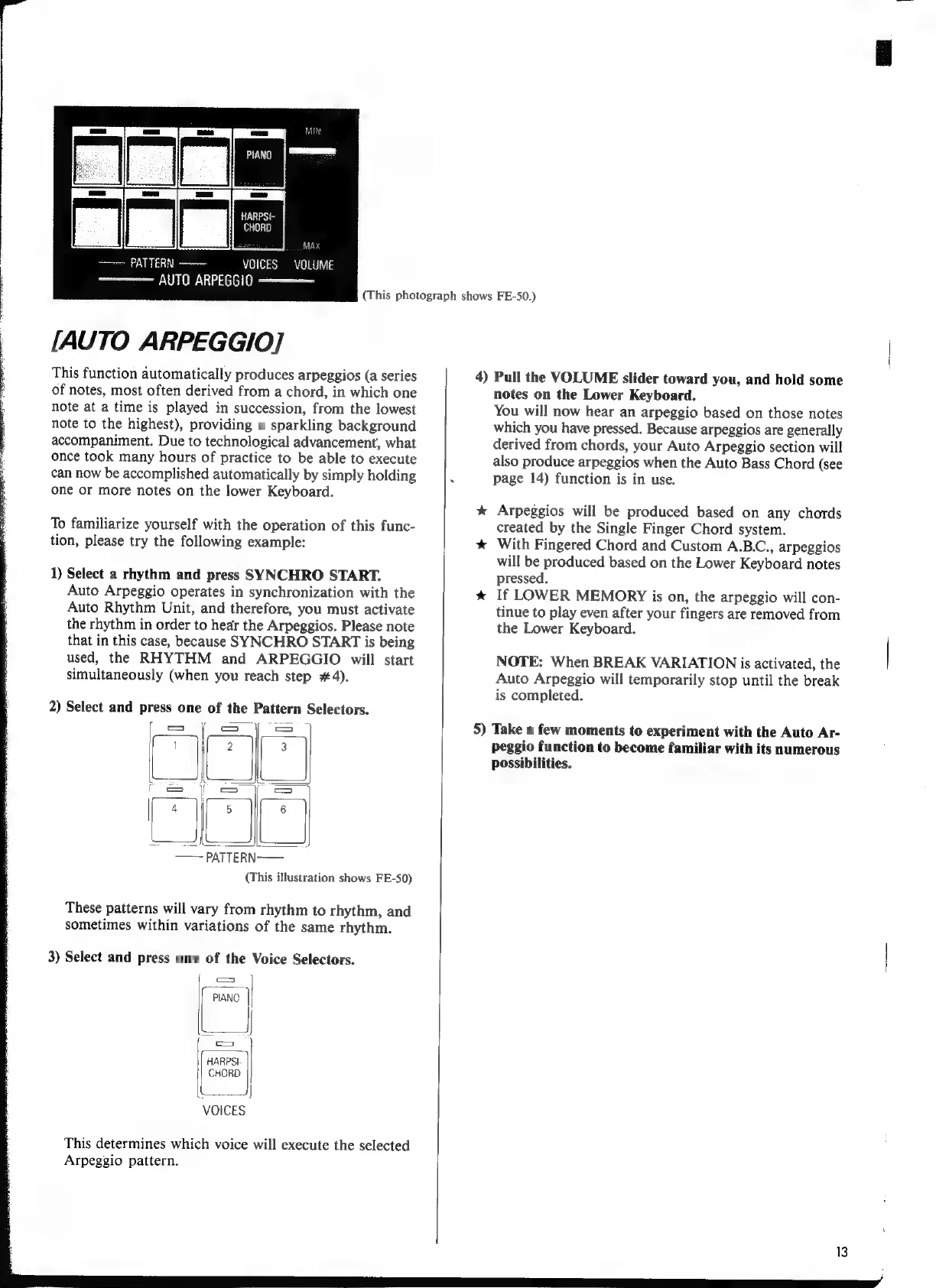
[AUTO
ARPEGGIO]
This
function
automatically
produces
arpeggios
(a
series
of
notes,
most
often
derived
from
a
chord,
in
which
one
note
at
a
time
is
played
in
succession,
from
the
lowest
note
to
the
highest),
providing
a
sparkling
background
accompaniment.
Due
to
technological
advancement,
what
г
once
took
many
hours
of
practice
to
be
able
to
execute
:
can
now
be
accomplished
automatically
by
simply
holding
one
or
more
notes
on
the
lower
Keyboard.
To
familiarize
yourself
with
the
operation
of
this
func-
tion,
please
try
the
following
example:
1)
Select
a
rhythm
and
press
SYNCHRO
START.
Auto
Arpeggio
operates
in
synchronization
with
the
Auto
Rhythm
Unit,
and
therefore,
you
must
activate
the
rhythm
in
order
to
hear
the
Arpeggios.
Please
note
that
in
this
case,
because
SYNCHRO
START
is
being
used,
the
RHYTHM
and
ARPEGGIO
will
start
simultaneously
(when
you
reach
step
#4).
2)
Select
and
press
one
of
the
Pattern
Selectors.
SS
(This
illustration
shows
FE-50)
These
patterns
will
vary
from
rhythm
to
rhythm,
and
sometimes
within
variations
of
the
same
rhythm.
3)
Select
and
press
one
of
the
Voice
Selectors.
VOICES
This
determines
which
voice
will
execute
the
selected
Arpeggio
pattern.
(This
photograph
shows
FE-50.)
4)
Pull
the
VOLUME
slider
toward
you,
and
hold
some
notes
on
the
Lower
Keyboard.
You
will
now
hear
an
arpeggio
based
on
those
notes
which
you
have
pressed.
Because
arpeggios
are
generally
derived
from
chords,
your
Auto
Arpeggio
section
will
also
produce
arpeggios
when
the
Auto
Bass
Chord
(see
page
14)
function
is
in
use.
*
Arpeggios
will
be
produced
based
on
any
chords
created
by
the
Single
Finger
Chord
system.
*
With
Fingered
Chord
and
Custom
A.B.C.,
arpeggios
will
be
produced
based
on
the
Lower
Keyboard
notes
pressed.
*
If
LOWER
MEMORY
is
on,
the
arpeggio
will
con-
tinue
to
play
even
after
your
fingers
are
removed
from
the
Lower
Keyboard.
NOTE:
When
BREAK
VARIATION
is
activated,
the
Auto
Arpeggio
will
temporarily
stop
until
the
break
is
completed.
5)
Take
a
few
moments
to
experiment
with
the
Auto
Ar-
peggio
function
to
become
familiar
with
its
numerous
possibilities.