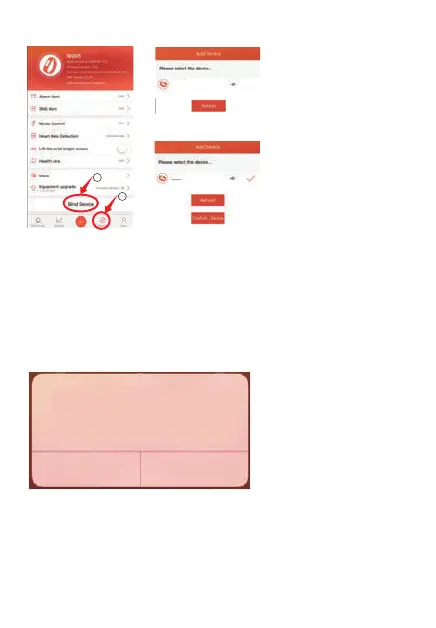
(2).Bind Device
(3).Select product
model: ID205L
(4).Click “Ok” to
complete binding.
Notes:
①.During binding process, VeryFitPro will prompt you to enable
GPS
and Bluetooth, and authorize VeryFitPro to get access to the GPS
on
you mobile phone.
②. Apple phones need to click "pair", the watch has a variety of
message reminders.
3.Synchronous data
In daily wear, the watch can detect all kinds of product data. The
user needs to connect the watch with bluetooth on the APP
before
synchronous operation. The detailed operations are shown as
follows:
1
2
Bluetooth Pairing Request
“ID205L”would like to pair
with your iphone.
Cancel Pair
ID205L
ID205L
-2-


 To Next Page