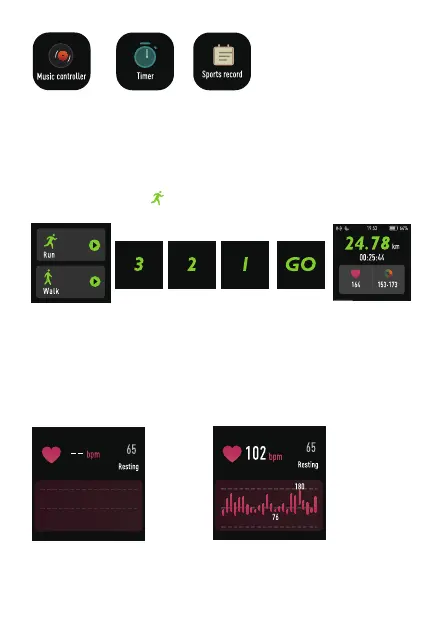
①.Enter the sports window, and choose different sports modes.
Change the sports mode on the APP
(1)Start sports
Click the sports icon > select the sports type > enter the sports
countdown automatically
(2)During sports
Pause sports: short press the right key
Restore sports: short press the right key
(3)End sports
End sports: long press the right key> select the end button on the
screen
②.Perform a heart rate test to check your heart rate data for the
day.
③.Help you regulate your breathing and relax your mood.
④.View, turn off or turn on the alarm clock. You need to add an
z alarm clock on the mobile APP.
Control music play
on your mobile
phone (watch
cannot store music)
Have the timing
and countdown
function.
Record recent
sportss.
-7-


 To Next Page