EasyManua.ls Logo

Yashica 8T2 - Filming

Yashica 8T2
25 pages
Print Icon
To Next Page IconTo Next Page
To Previous Page IconTo Previous Page
Loading...
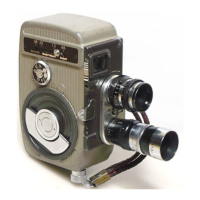
The Yashica Movie
Camera
is
equipped
with 7 shutter
speeds
to
enable
the
user
to
fake
pictures under
every
condition.
(See
11
page)
Yash,ca
your
with
Wind
the
camera
motor.
Set
running
speed
to
16
frames-per-second.
Make
certain
the
zoom-
finder
is
set
to
match the lens in use.
Set
the
aperture
ring
to
the
f/stop
recommended
in
the
exposure
guide
packed
with
the film.
If
you
are
using
color
film,
you
have a
conve-
nient
exposure
guide
right
on
the
camera
itself.
If the
subject
is
nearby,
set
the
focusing
ring
to
4
feet.
If
the
suject
is
for
away,
set
it
to
20
feet.
Hold
the
camera
to
your
eye
and
frame
the
scene in
the
view
-finder.
Stand
perfectly
still. Press the run-
,button
-
and
you
are
making a
movie!
fJilming
(It is
advisable
to
read
the
rest
of
this
booklet
before
Aiming
with
your
Yashica Movie.)

Related product manuals