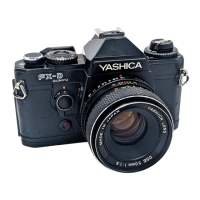
Holding the camera
In order to take a beautiful, in-focus photograph, it is
necessary to hold the camera steadily. Since most blurred
pictures are caused by camera shake (moving the camera at
the instant of exposure), you should practice with the camera
until you feel accustomed to holding it properly. Hold the
camera in the palm of your left hand, using your fingers to
rotate the focusing ring. Hold the camera's handgrip firmly
in your right hand, resting your forefinger on the shutter
release button. With your left elbow against your body, hold
the camera up to your face firmly, and while looking through
the viewfinder, press the shutter release lightly. Besides the
horizontal position, the camera can of course also be used to
take pictures in the vertical position. In any event, practice
until you find the positions that best suit your own
photographic style.4www.butkus.org
Depending on conditions, it may also be a good idea to
stabilize the camera by leaning your body against a building,
resting the camera on a fence or other support, etc.
Inside the viewfinder
<LED Indicators> When the shutter release button is pressed lightly, the red LEDs (light emitting diodes) will
light or flash to indicate the shutter speed at time of exposure. The LEDs will remain lit for about 10 seconds
after you remove your finger from the shutter release button.
<Flash-Ready Signal Mark> When using the flash unit "CS-201 Auto" or the Contax "TLA30", "TLA20"
flash units, this signal mark will light green when the flash unit is recharged and ready to use.



 To Next Page
 Loading...