<Built-ln Exposure Meter>
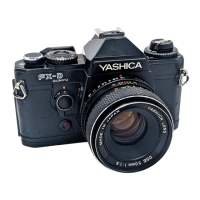
The shutter release button of the FX-70 Quartz also acts as the switch for the built-in exposure meter. When the
shutter release button is touched lightly, the switch is turned ON, and the LEDs inside the viewfinder light
steadily or flash to indicate the exposure at that time. After removing your finger from the shutter release
button, or after taking a picture, the exposure meter remains ON, turning itself OFF automatically 10 seconds
later.
If the shutter release button is pressed further, the shutter will be tripped.
Since this is a center weighted type metering system, the center ring in the viewfinder should be placed on the
subject you wish to photograph in order to ensure correct exposure.
<LED Indicators during Automatic Exposure> When exposure is correctly metered, the LED beside the
shutter speed at that time will light steadily. If the ambient light conditions exceed the metering capabilities of
the camera, the "OVER" or "B" indicators will flash to indicate respectively over-exposure and underexposure.
·
When a LED from "1000" through "LT" lights
up: Correct exposure has been metered and a picture
may be taken. The LED will light beside the correct
shutter speed for that time. If two LEDs light
simultaneously, the exposure will be made at a shutter
speed in between the two indicated values. If the LED
indicates a shutter speed of 1/30 second or slower,
handheld exposures may result in camera shake. In this
case, use a larger lens aperture, a flash unit, or mount



 To Next Page
 Loading...