Lens Changing
<Mounting the Lens>
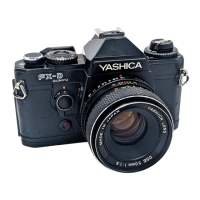
First remove the camera-body cap and then insert the lens
mount into the camera-body mount, matching the red dot on the
lens mount with that on the camera body. Then, gripping the
lens barrel firmly, turn the lens clockwise until it locks with a
click. When mounted correctly, the aperture/distance scale
index on the lens will point toward the top of the camera.
When using a lens cap of the snap on type, attach or remove it
from the lens by pressing in the two side-tabs.
<Removing the Lens>
While pressing the lens release button, turn the lens
counterclockwise slightly and remove it from the camera-body
mount. Always keep caps on the camera-body mount and the
lens mount when the lens is left off the camera.
Avoid touching camera interior or lens surface with your
fingers. Avoid direct sunlight when removing or mounting the
lens with film loaded in the camera.4www.butkus.o rg
Installing Batteries
Batteries power all the cameras functions including
shutter system, exposure control, etc. The FX-70 Quartz
will not operate without batteries.
Use two 1.55 V silver-oxide batteries (SR44, Eveready S76,
Ucar S76, Mallory MS-76 or equivalent) or 1.5 V alkaline-
manganese batteries (LR44 or equivalent).
1. Open the battery compartment cover on camera base by
turning it counterclockwise with a coin.



 To Next Page
 Loading...