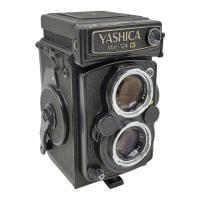
OR - When the figure "24" appears in the exposure counter
window, it signifies that the full length of the film has been
exposed. Another wind of the crank-handle will bring out the
(circle?) mark in the window, but continue winding until the
crankhandle turns freely without tension.
FILM UNLOADING
(page 43)
2 - Open the Back Cover by turning the Back Cover Locking Ring
in the direction of "O" (open).
3 - Pull out the Upper Spool Holder Knob and take out the
exposed film from the film chamber. Paste the seal to prevent
recoiling and wrap the film in light-proof paper.


 To Next Page
 Loading...