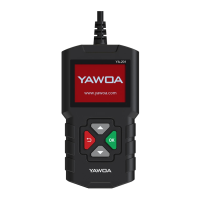
YA201 Quick Start Guide
1. General Scan Tool Information
1.1 User Interface
The scan tool is designed for easy use
All menus and lists operate the same way
ENTER key selects item
BACK key returns to previous screen
up SCROLL KEY
DOWN SCROLL KEY
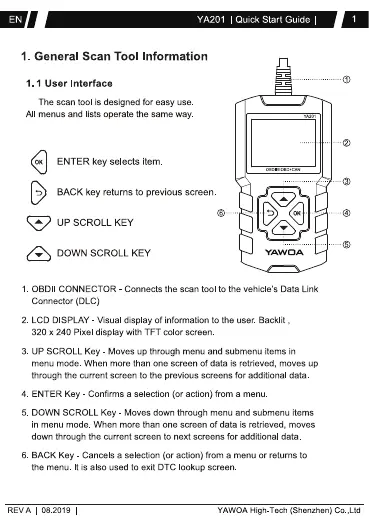
1. 08011 CONNECTOR Connects the scan tool to the vehicle's Data Link
Connector (DLC)
2. LCD DISPLAY - Visual display Of information to the user Backlit ,
320 x 240 Pixel display With TFT color screen
3. up SCROLL Key Moves up through menu and submenu items in
menu mode. When more than one screen of data is retrieved, moves up
through the current screen to the previous screens for additional data
4. ENTER Key Confirms a selection (or action) from a menu
5. DOWN SCROLL Key Moves down through menu and submenu items
in menu mode When more than one screen of data is retrieved, moves
down through the current screen to next screens for additional data
6. BACK Key Cancels a selection (or action) from a menu or returns to
the menu It is also used to exit DTC ookup screen
REVA 08 2019
YAWOA High-Tech (Shenzhen) co ,Ltd


 To Next Page
 Loading...