| Charge Headset/Charging Case | 10
Note:
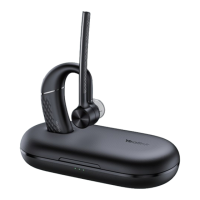
• You need to power on the headset and stand it on the charging case when you connect the
charging case and headset to the PC via a USB cable.
• The carrying case does not support checking the battery level in the Yealink USB Connect for
headset.
• The BH71 need to purchase the BT51 dongle separately.
Related tasks
Yealink USB Connect
Charge Headset
It takes approximately 90 minutes to charge the headset fully, and the LED indicator turns off once charging
is complete.
You can use the charging case and carrying case to charge your headset. And you can connect the other
end of the USB cable to the USB port on your PC or wall charger.


 To Next Page
 Loading...